 MP3 722 KBOGG 487 KB
Song → Opus 128 kbps
The default setting: 487 KB instead of 722 KB, two-thirds of the MP3. Xiph's guidance calls 128 kbps Opus pretty much transparent for music.
- 128 kbps
- Stereo
- 48 kHz
- 67%
MP3 → Ogg Opus
Convert MP3 to OGG without installing anything. The files come out as Ogg Opus — the modern codec inside .ogg — at 64–160 kbps, made by the Opus encoder already built into your browser. They are smaller than the MP3 and ready for web pages, chat bots and Opus-friendly engines. Nothing is uploaded.
Encoded to Opus by your browser's built-in WebCodecs encoder and wrapped in an Ogg file on your device — nothing is uploaded.
This page makes Opus, not Vorbis
Both live in .ogg files, but they are different codecs. Unity, Godot, Minecraft Java resource packs and RPG Maker document Ogg Vorbis, so an Opus .ogg may not import there.
Examples
Our four demo MP3s (192 kbps, 30 seconds) through the converter above at different Opus bitrates. The players load the exact .ogg downloads.
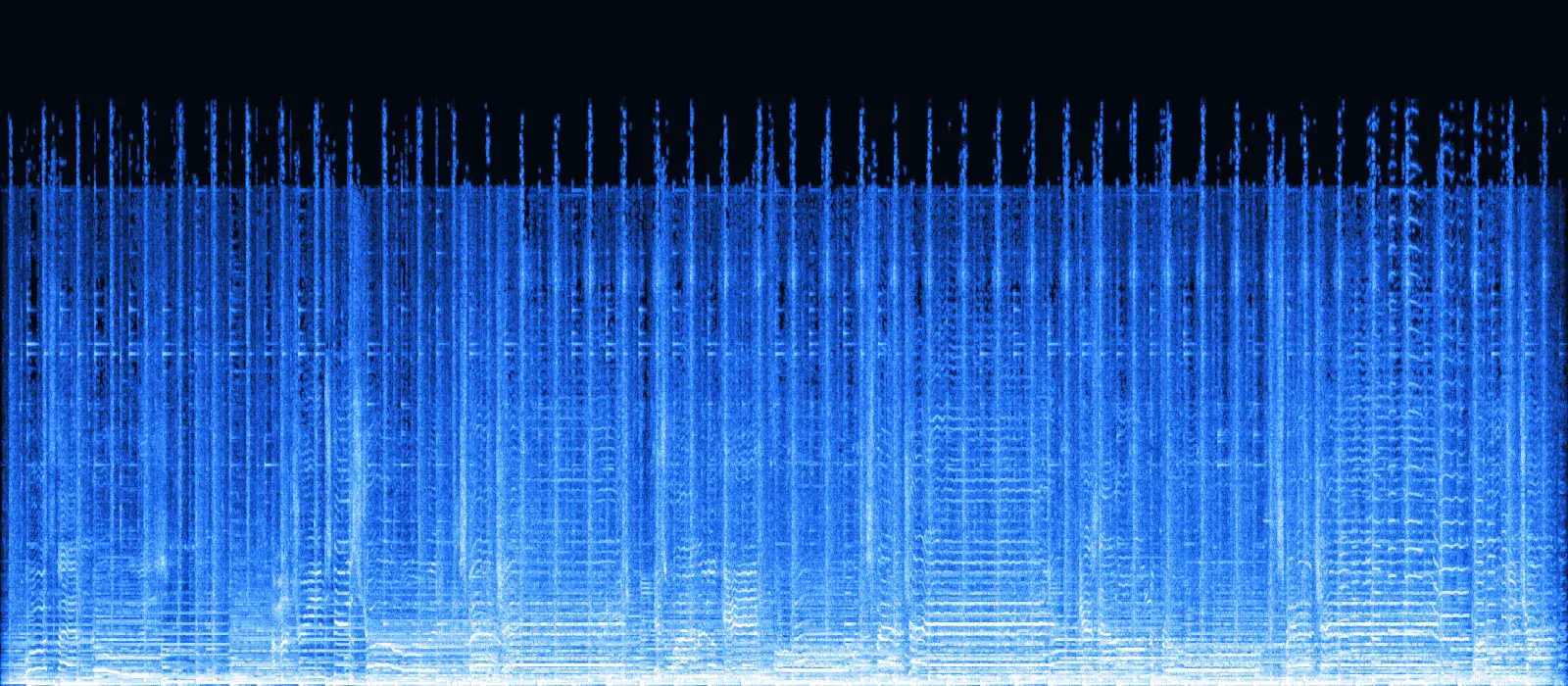
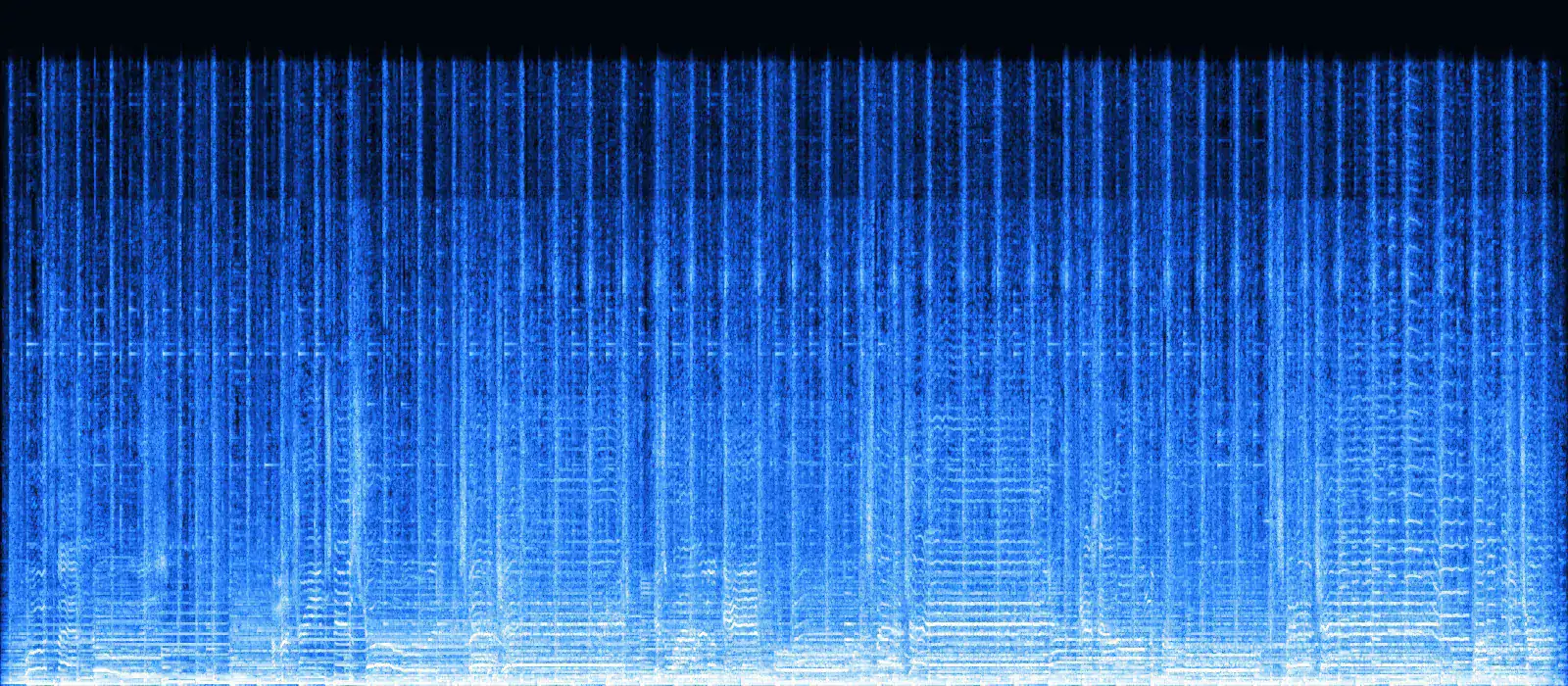
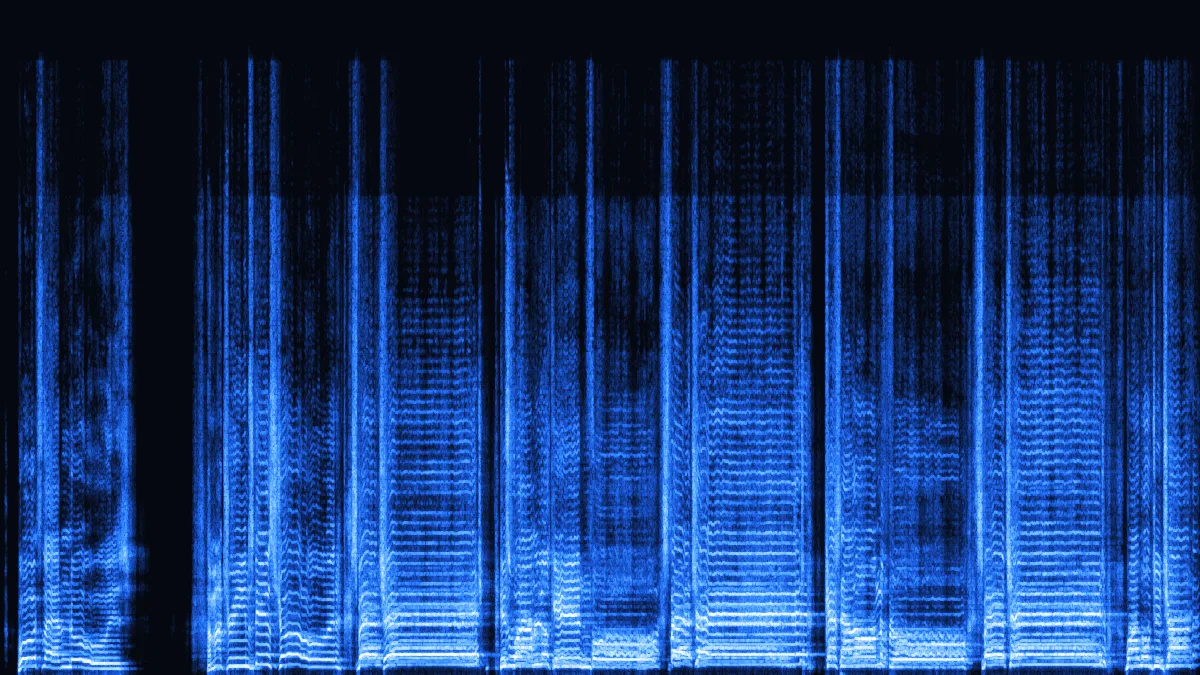
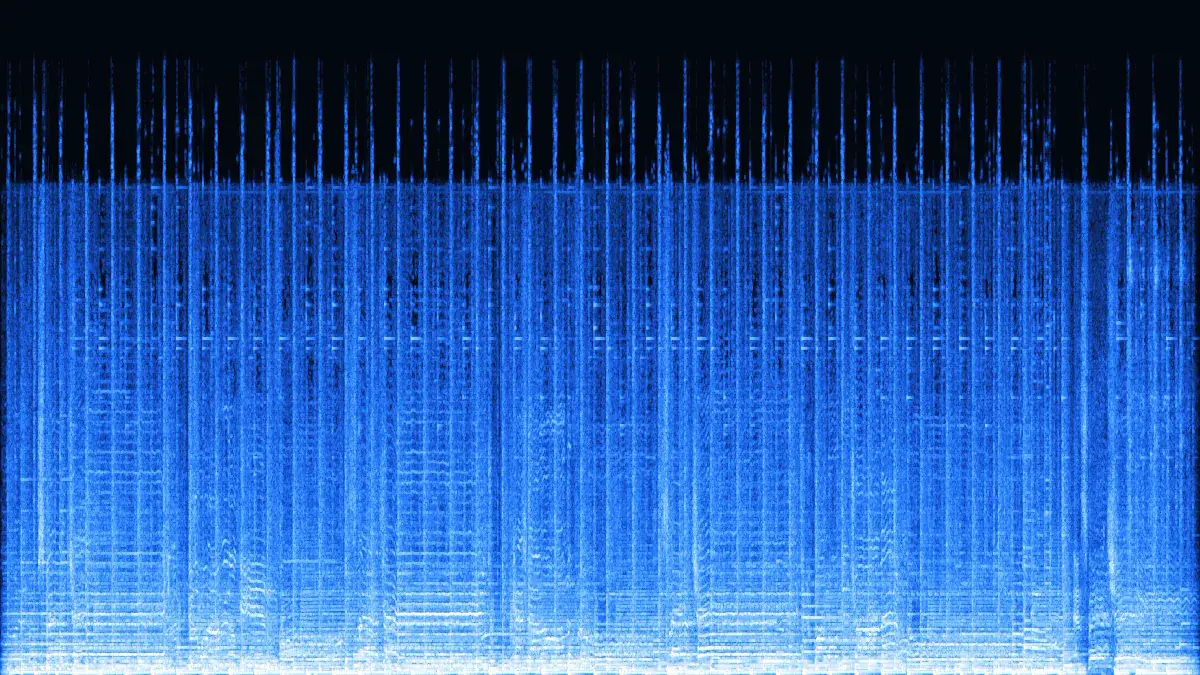
Left: the source MP3, which stops at 18.7 kHz. Right: the same song as 64 kbps Opus. Below about 15 kHz the two look alike. Above it, Opus codes its top band (roughly 15.6–20 kHz) mostly as overall energy and fills it with shaped noise — the faint haze up to 20 kHz is not new detail, just a cheap way to keep the air in the mix.
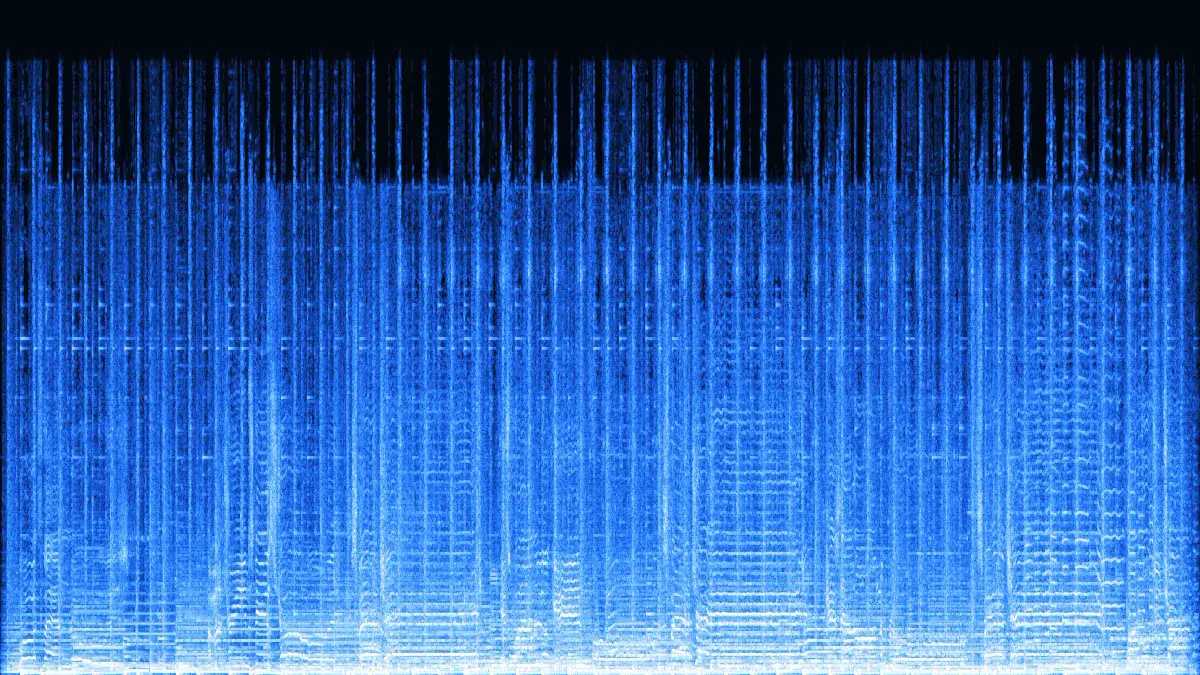
MP3 722 KBOGG 487 KBThe default setting: 487 KB instead of 722 KB, two-thirds of the MP3. Xiph's guidance calls 128 kbps Opus pretty much transparent for music.
 MP3 722 KBOGG 365 KB
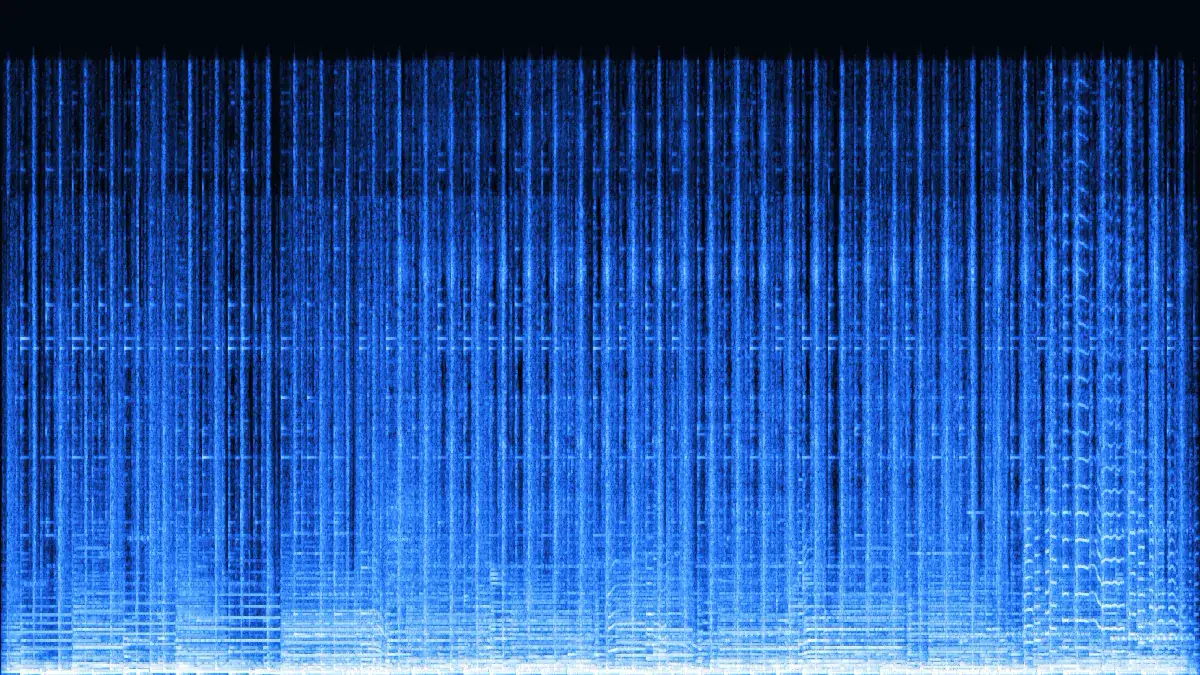
Half the MP3 (365 KB). 96–128 kbps is the range Xiph suggests for stereo music, and 96 is a good fit for background audio on a web page.
 MP3 722 KBOGG 245 KB
A single voice needs far less: 245 KB, a third of the MP3. Mono gives all 64 kbps to one channel.
 MP3 722 KBOGG 607 KB
The top setting, for MP3s that were 256–320 kbps to begin with. 607 KB — still smaller than the 192 kbps source.
How it works
Three steps in this tab. The heavy lifting is done by your browser's Opus encoder, so even long files finish quickly.
Drop up to 3 MP3 files (100 with Pro), 50 MB each (500 MB with Pro), or try a sample. The queue reads each file's bitrate, sample rate and length first.
128 kbps for music, 96 for web audio, 64 for speech, 160 only if the MP3 is 256 kbps or more. The sample rate is fixed at 48 kHz — that is how Opus works.
Each file is an Ogg Opus stream that plays in Chrome, Edge, Firefox and Safari 18.4+. With Pro, two or more go into one ZIP.
Opus vs Vorbis
Both codecs sit inside .ogg files. Opus (2012) is newer and more efficient; Vorbis (early 2000s) is what many game engines and older tools were built around. Checked against each project's documentation in November 2026.
| Opus | Vorbis | MP3 | |
|---|---|---|---|
| Standard | IETF RFC 6716 (2012) | Xiph.Org, 1.0 in 2002 | MPEG-1 Layer III (1993) |
| Sample rate | 48 kHz clock | Any, usually 44.1 / 48 kHz | 32 / 44.1 / 48 kHz |
| Typical music setting | 96–128 kbps | q5 ≈ 150–160 kbps | 192–256 kbps |
| Speech at low bitrates | Excellent — built for calls | Weak below ~64 kbps | Weak below ~64 kbps |
| This site writes it | Here, in your browser | No — use Audacity or ffmpeg | Yes — audio to MP3 |
| App or platform | Ogg Vorbis | Ogg Opus | Source |
|---|---|---|---|
| Unity 6 | Listed (.ogg import) | Not listed | Unity Manual: audio file compatibility |
| Godot 4 | Yes | No — open proposal | Godot docs: importing audio samples |
| Minecraft Java resource packs | Yes (.ogg sounds) | Not documented | Minecraft Wiki (community) |
| RPG Maker MZ | Required format | Not documented | RPG Maker MZ help |
| Ren'Py | Yes | Yes | Ren'Py docs: audio |
| Telegram bots (sendVoice) | Sent as a file | Plays as a voice message | Telegram Bot API |
| Wikimedia Commons | Accepted | Preferred | Commons: File types |
| Android | All versions | Android 5.0+ | Android supported media formats |
Encoder
No server and no WebAssembly port: your browser's own Opus encoder (WebCodecs) does the encoding, and a small Ogg writer we built packs the result into a standard file.
Use cases
Opus shines where size matters and the player is modern: the web, chat, visual novels, open archives.
Smaller files load faster in an audio tag or a Web Audio game, and current Chrome, Edge, Firefox and Safari 18.4+ all play Ogg Opus.
The Bot API's sendVoice takes OGG encoded with Opus (or MP3 / M4A) and shows it as a voice message. Mono 64 kbps is a natural fit.
Ren'Py lists Opus among its supported formats, so music and voice packs can shrink without changing engine.
Commons names Opus the preferred audio codec in Ogg, and MP3 uploads are limited to experienced accounts.
A 128 kbps Opus copy of a 192 kbps MP3 library takes about two-thirds of the space. Keep the MP3s as masters.
Measured
Our 30-second demo song (MP3, 192 kbps, 722 KB) through this page in Chrome 157 on an Apple M4 Mac.
Opus is VBR, so music lands within about 1 % of the target; quiet or sparse audio comes out smaller.
Decoding plus encoding took 0.14–0.25 s per clip in our runs — more than 100× real time. Slower devices take longer, but encoding still happens in the browser's native code, not JavaScript.
An MP3 has already thrown detail away, and Opus throws away a little more. Convert from the best MP3 you have, keep it as the master, and don't chain conversions back and forth.
RFC 7845 recommends the .opus extension for Ogg Opus files. We save .ogg because that's what most upload forms and tools filter on. If your app prefers .opus, just rename the file — the bytes are identical.
FAQ
Opus vs Vorbis, bitrates, browsers and what happens to your files.
Need Vorbis after all?
Use Audacity's OGG export or ffmpeg with libvorbis. For everything that accepts Opus, this page is the fastest route.
Convert MP3 to OGGOpus. Browsers can encode Opus natively through WebCodecs but have no Vorbis encoder, so this page writes Ogg Opus at 48 kHz. Opus is the newer codec and sounds better at the same bitrate; if your app needs Vorbis, see the table above.
Probably not. Their documentation lists Ogg Vorbis, not Opus (checked November 2026). For those, export Vorbis from Audacity or with ffmpeg (-c:a libvorbis -q:a 5). Browsers, Ren'Py, Telegram and Wikimedia Commons take Opus.
128 kbps for music — the default, and what Xiph calls pretty much transparent. 96 kbps for background or web music, 64 kbps for speech (mono for a single voice). 160 kbps only helps when the MP3 is 256 kbps or more.
No. The MP3's losses stay, and Opus adds a small loss of its own. What you gain is size: at 128 kbps the OGG was two-thirds of our 192 kbps MP3, at 64 kbps one third.
It needs WebCodecs AudioEncoder with Opus: Chrome and Edge 94+, and Firefox 130+ on desktop. Firefox for Android lacks it, and Safari's support is new and not documented for Opus. When encoding isn't available, a notice appears in the tool.
Nothing is uploaded — decoding and encoding run in your browser. ID3 tags (title, artist, cover) are not copied into the OGG yet, so add them in a tag editor if you need them.
64–160 kbps, 48 kHz, batch convert (ZIP with Pro) — encoded on your own device.
Free · no signup · no watermark · processed in your browser