 MP3 722 KBFLAC 3.8 MB
Full song, 16-bit
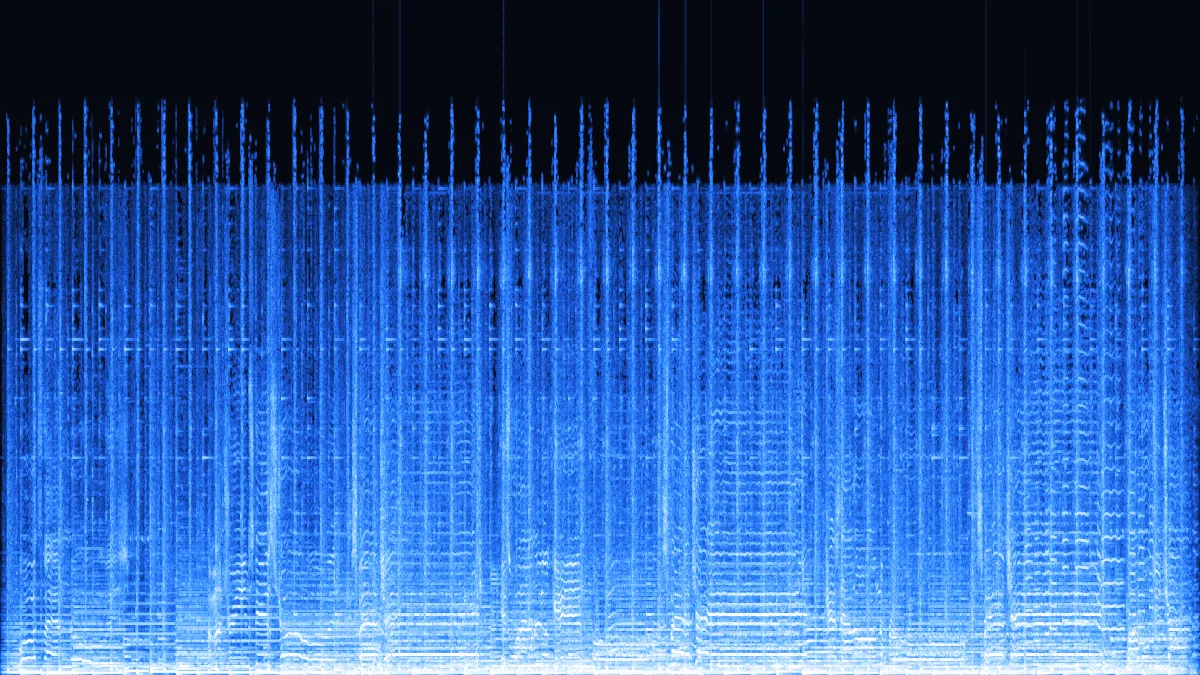
A dense pop mix compresses to 72% of its WAV size. The spectrogram still stops near 16 kHz — the shelf the MP3 left behind, now preserved losslessly.
- 16-bit
- Stereo
- Balanced
- 72% WAV
Free · lossless FLAC · 0 uploads
Convert MP3 to FLAC without uploading anything: this page runs its own FLAC encoder in your browser, writes 16 or 24-bit lossless files with an MD5 checksum, and handles several files at once (a whole album with Pro). FLAC keeps every sample you give it — it just can't restore what the MP3 already removed.
Converted on your device by your browser's own decoder and a background encoder — nothing is uploaded.
Examples
Four FLAC files this page made from our demo MP3s. Every one passes flac -t and decodes back to exactly the samples that went in.
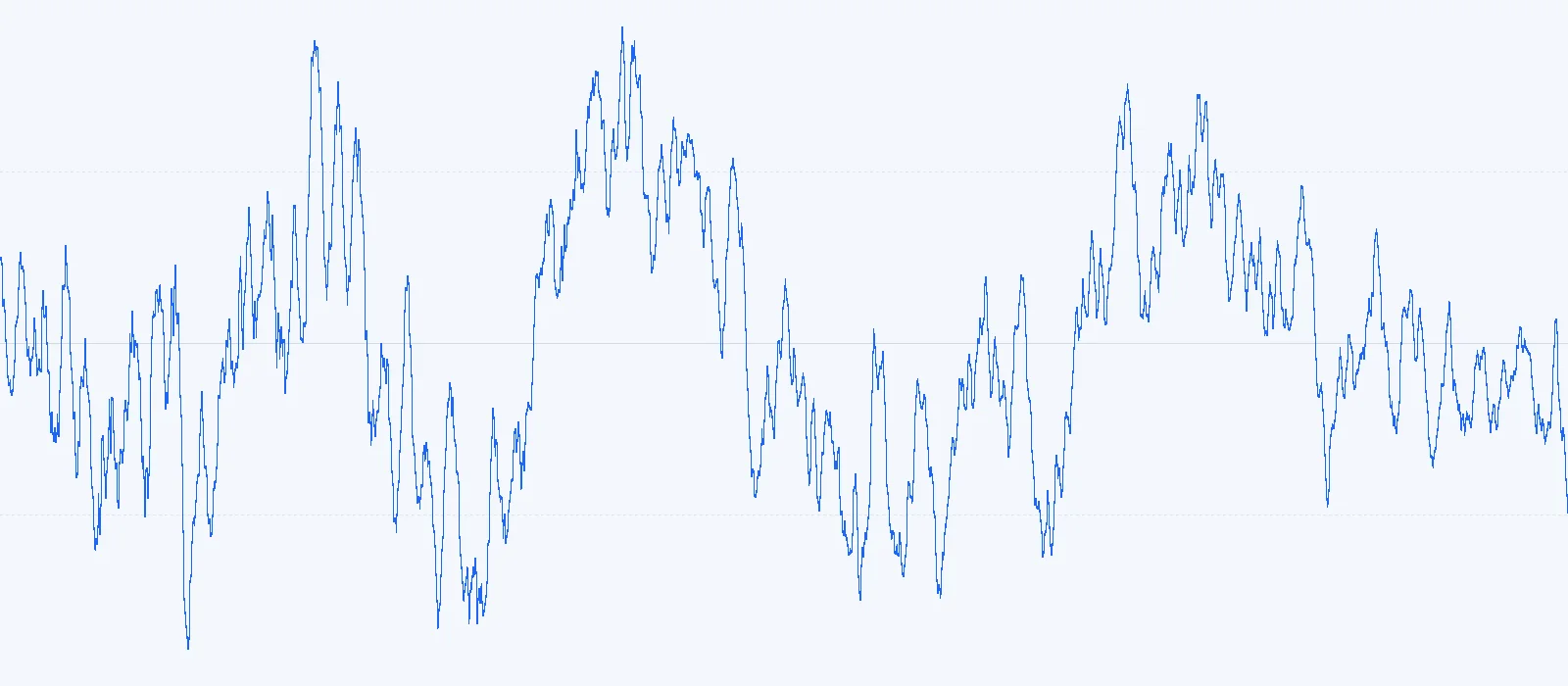
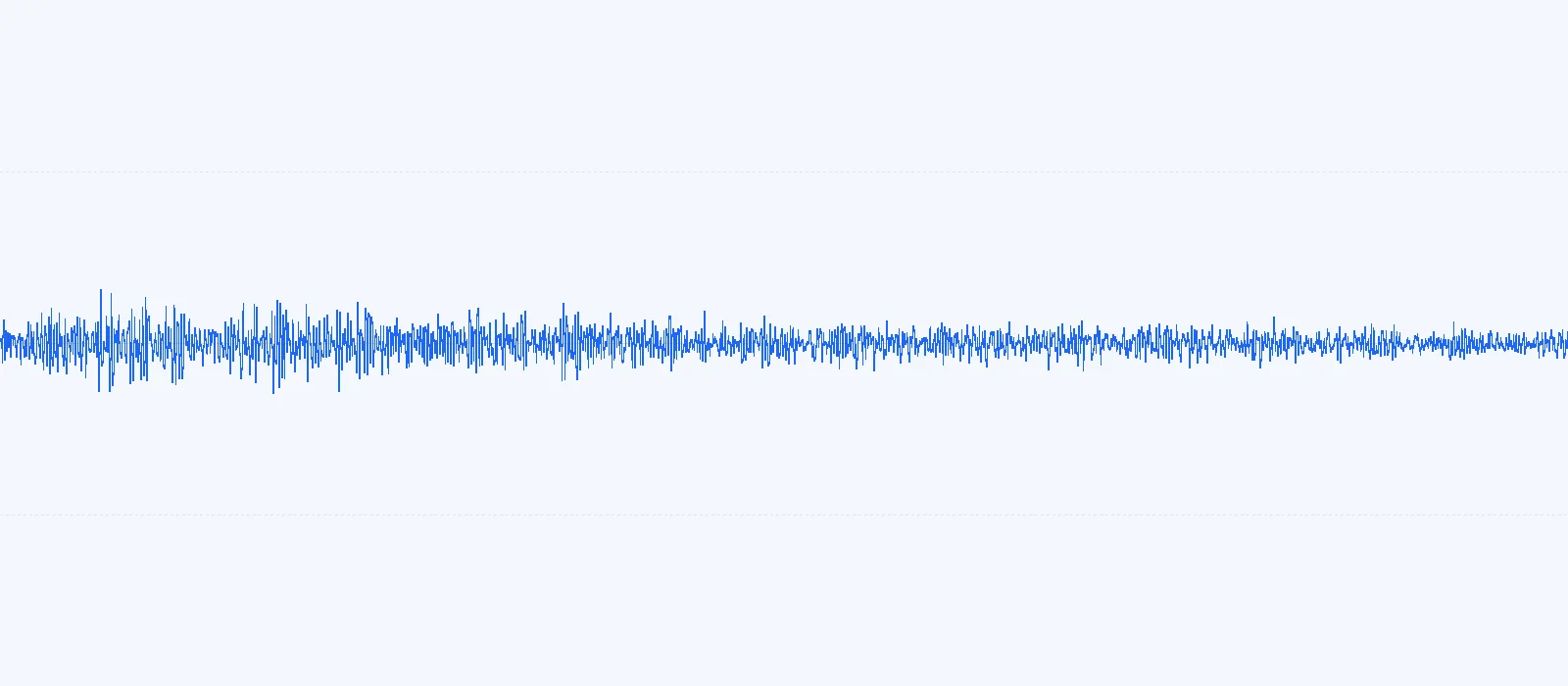
Drag the handle across 50 milliseconds of the song. Left: the 16-bit samples. Right: what's left after FLAC's predictor guesses each sample from the ones before it, drawn on the same scale — on average about one eleventh the size. Those small leftovers are what gets stored, Rice-coded into far fewer bits — and the decoder rebuilds the original exactly.
MP3 722 KBFLAC 3.8 MBA dense pop mix compresses to 72% of its WAV size. The spectrogram still stops near 16 kHz — the shelf the MP3 left behind, now preserved losslessly.
 MP3 722 KBFLAC 3.1 MB
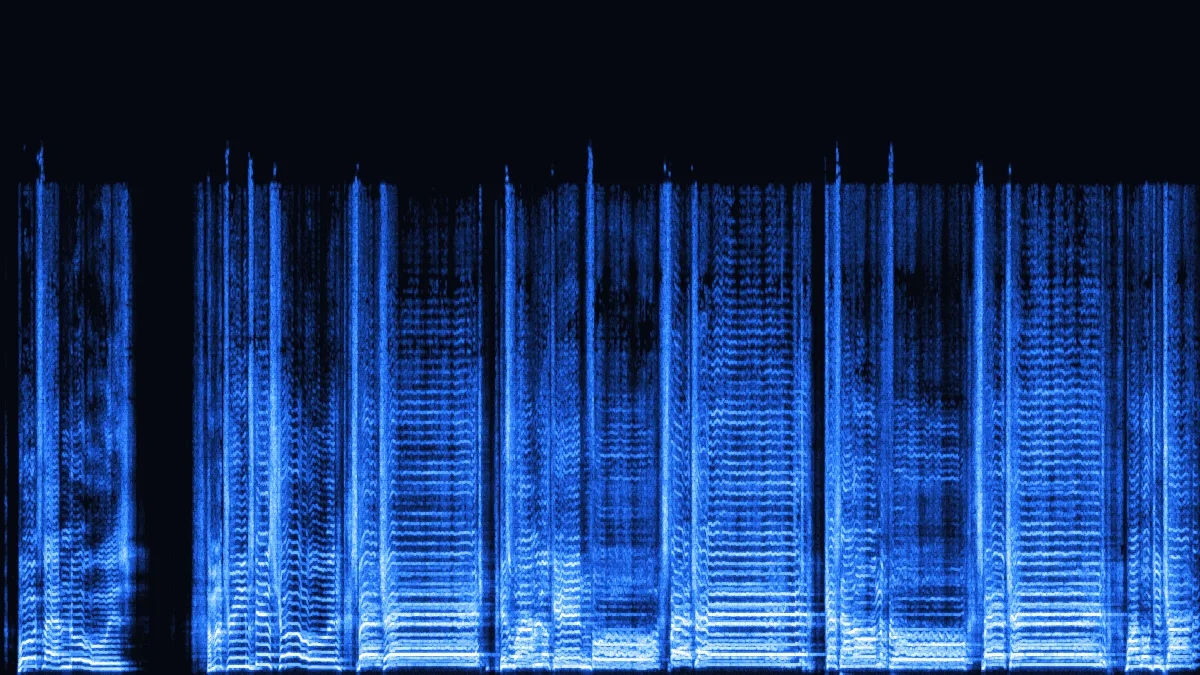
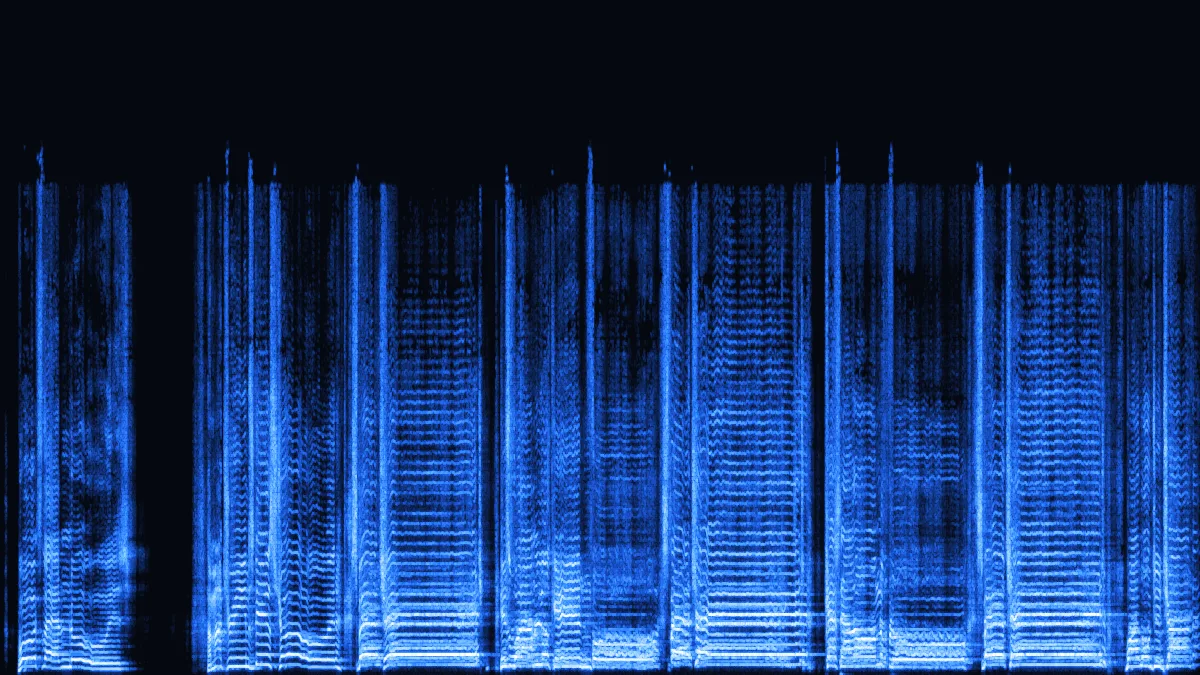
Gaps between phrases predict almost perfectly, so the vocal stem lands at 58% of WAV — FLAC rewards silence and simple sounds.
 MP3 722 KBFLAC 1.6 MB
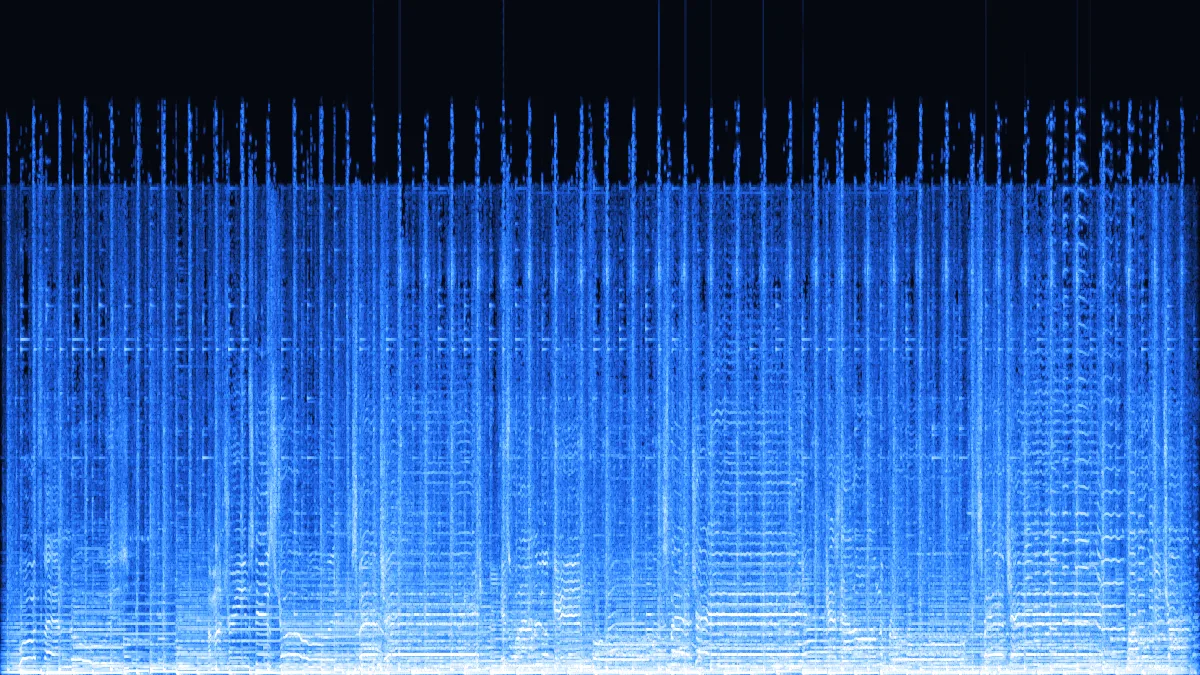
Folding the vocal to mono halves the samples before compression: 1.6 MB for 30 seconds, still bit-exact.
 MP3 722 KBFLAC 6.5 MB
The same song at 24-bit is 6.5 MB. The extra 8 bits per sample hold rounding detail far below hearing; for an MP3 source, 16-bit is plenty.
How to
Same three steps for WAV, M4A or OGG sources.
Drop MP3s — or, with Pro, a whole album — onto the window. Free: 3 per batch, 50 MB and 10 minutes each; Pro: 100 per batch, 500 MB and 2 hours each.
16-bit is right for MP3 sources. Balanced compression is the sweet spot; keep the MD5 checksum on.
Save each FLAC, or with Pro the whole batch as one ZIP. Any player that checks MD5 — or flac -t — can confirm every sample.
Under the hood
There's no server and no WebAssembly library behind the button — the encoder is a few hundred lines of TypeScript that write standard FLAC, frame by frame.
| Level | What it searches | FLAC size | of WAV |
|---|---|---|---|
| Fast | Best fixed order by estimate, up to 8 partitions | 3.83 MB | 72.3% |
| Balanced | Best fixed order by estimate, up to 32 partitions | 3.82 MB | 72.2% |
| Max | Every fixed order 0–4, up to 256 partitions | 3.82 MB | 72.2% |
| libFLAC -5 | Reference libFLAC -5 (adds LPC), for comparison | 3.52 MB | 66.4% |
Every file starts with the fLaC marker and a STREAMINFO block — sample rate, channels, bit depth, sample count, frame sizes and the MD5 — then a VORBIS_COMMENT block naming the encoder, then the audio frames.
fLaC · STREAMINFO · VORBIS_COMMENT · FRAME 0 … FRAME n
Use cases
None of them is better sound. All of them are about what you do with the file next.
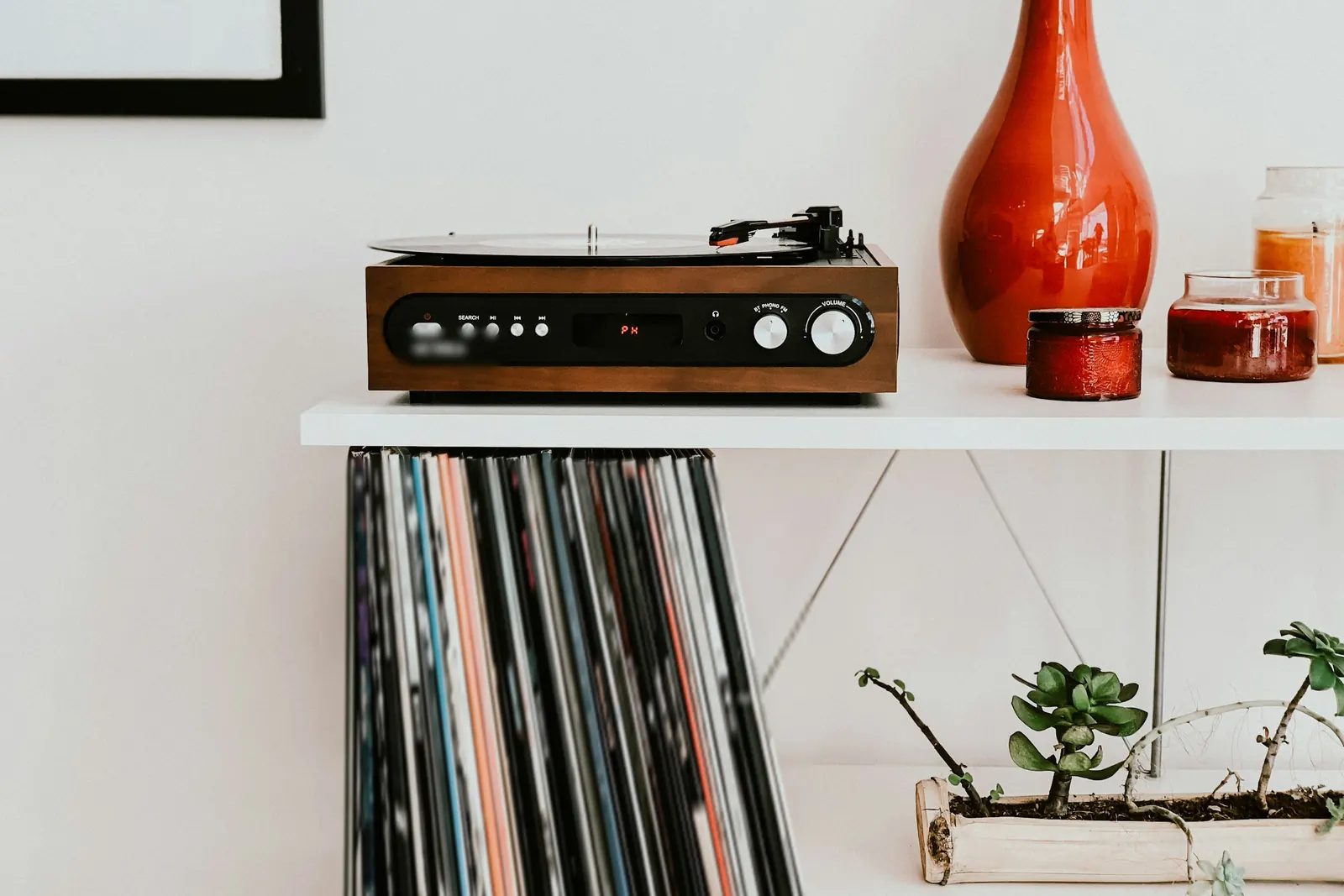
A library that's mostly FLAC is easier to manage when the stragglers match. Converting the MP3s keeps tools, tags and backups on one format.
Trim, fade or level-match the FLAC and save as often as you like — no extra generation of MP3 loss, and smaller than WAV.
Some network players and portable DAPs are set up around FLAC folders. Converting means one playlist, one format.
The built-in MD5 lets you test years later that not a single sample has rotted on a drive.
Self-hosted music servers stream FLAC to every room and transcode on the fly when a phone needs something smaller.
Honest answer
A FLAC made from an MP3 is a perfect, lossless copy of a lossy file. It sounds exactly like the MP3 — never better.
Open the file in a spectrogram. Real lossless recordings usually show energy up to 20 kHz or more; a FLAC made from an MP3 shows a sharp shelf where the MP3 encoder's low-pass sat.
| MP3 bitrate | Spectrum stops near | Seen in our tests |
|---|---|---|
| 128 kbps | ≈ 16–17 kHz | 16.6 kHz |
| 192 kbps | ≈ 18.5–19 kHz | 18.7 kHz |
| 256 kbps | ≈ 19.5 kHz | 19.4 kHz |
| 320 kbps | ≈ 20 kHz | 20.1 kHz |
| FLAC | WAV | MP3 | |
|---|---|---|---|
| Compression | Lossless, ≈ 55–75% of WAV | None | Lossy, ≈ 14% of WAV at 192 kbps |
| Bit-exact | Yes, checked by MD5 | Yes | No |
| Tags | Vorbis comments, cover art | Limited | ID3, cover art |
| Plays on | Android, browsers, VLC, most hi-fi gear; Apple's Music app wants ALAC | Practically everything | Everything |
FAQ
Including the one everyone asks first.
Archiving a library?
Keep the MD5 option on and store the FLACs next to the originals — you can re-verify every file later.
Convert MP3 to FLACNo. FLAC is lossless, so it stores exactly what the MP3 decodes to — no more. The file sounds identical to the MP3; the benefit is that nothing more is lost when you edit, re-save or convert it again.
MP3 discards data to reach about 14% of WAV size at 192 kbps. FLAC keeps every decoded sample and compresses only losslessly, typically to 55–75% of WAV. Our demo song went from 722 KB as MP3 to 3.8 MB as FLAC.
Yes. With the checksum option on, the encoder writes an MD5 of the samples into the file header. Run flac -t file.flac, or use a player's verify feature: it decodes the file and compares the result against that MD5.
16-bit for MP3 sources — it already exceeds what an MP3 can carry, and files are smaller. 24-bit is useful when you plan heavy processing later or the source is a 24-bit recording.
Balanced. Every level decodes to identical audio; Max searches harder for a fraction of a percent, Fast saves a little time on long files.
Yes — any audio your browser can decode. A 16-bit WAV converted to 16-bit FLAC at its original rate is written sample-for-sample with no dither, a true lossless conversion.
16 or 24-bit, MD5-checked, a whole batch at once — encoded right here in your browser.
Free · no signup · no watermark · processed in your browser