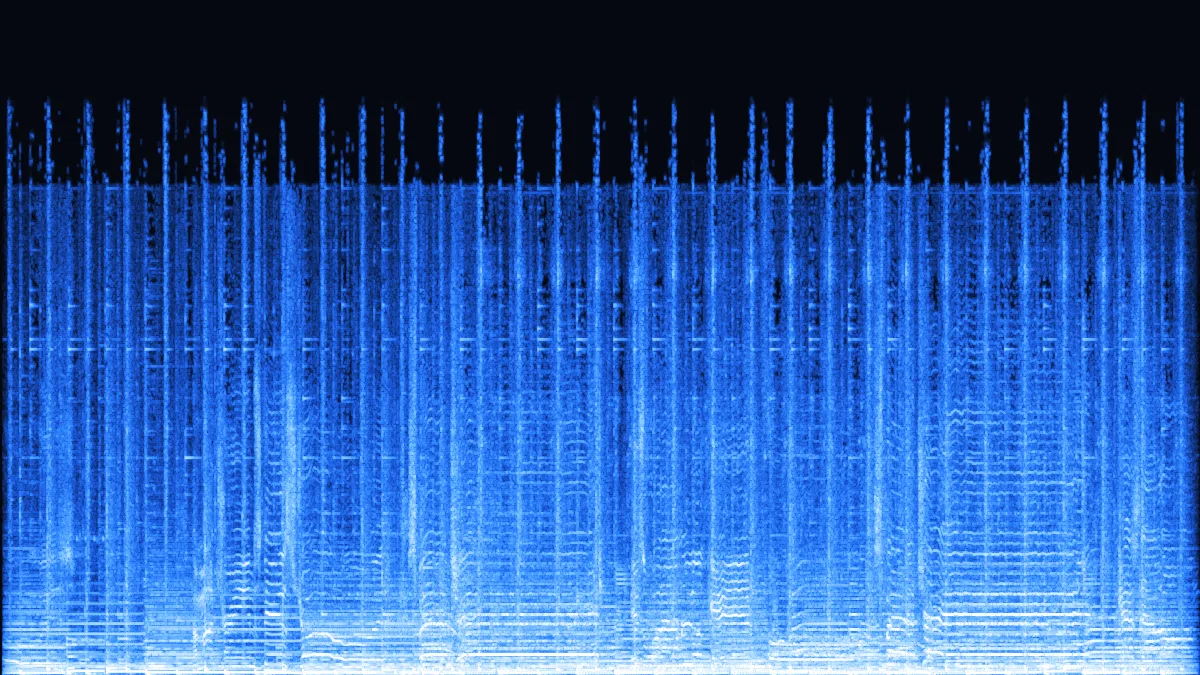
 FLAC 2.25 MBMP3 801 KB
CD rip → MP3 320 kbps · Pro
A 20-second, 16-bit / 44.1 kHz FLAC rip of 2.25 MB. At 320 kbps the MP3 is 801 KB — the copy to keep on a phone.
- 320 kbps
- Stereo
- 44.1 kHz
CD rips · Bandcamp · hi-res albums
This FLAC to MP3 converter turns lossless albums — CD rips, Bandcamp downloads, 24-bit hi-res purchases — into MP3s your phone, car stereo or running watch will play. Queue three tracks at a time free, or a whole album with Pro: it's encoded on your own computer and comes back as one zip.
Converted on your device by your browser's own decoder and a background encoder — nothing is uploaded.
Hear it
Our demo songs saved as FLAC the way rippers and stores deliver it — a 16-bit CD rip, a 24-bit / 96 kHz hi-res file, a 24-bit live recording — plus a full-band test sweep, all converted by this page. The song FLACs start from our MP3 demo tracks, so only the sweep is truly full-band.
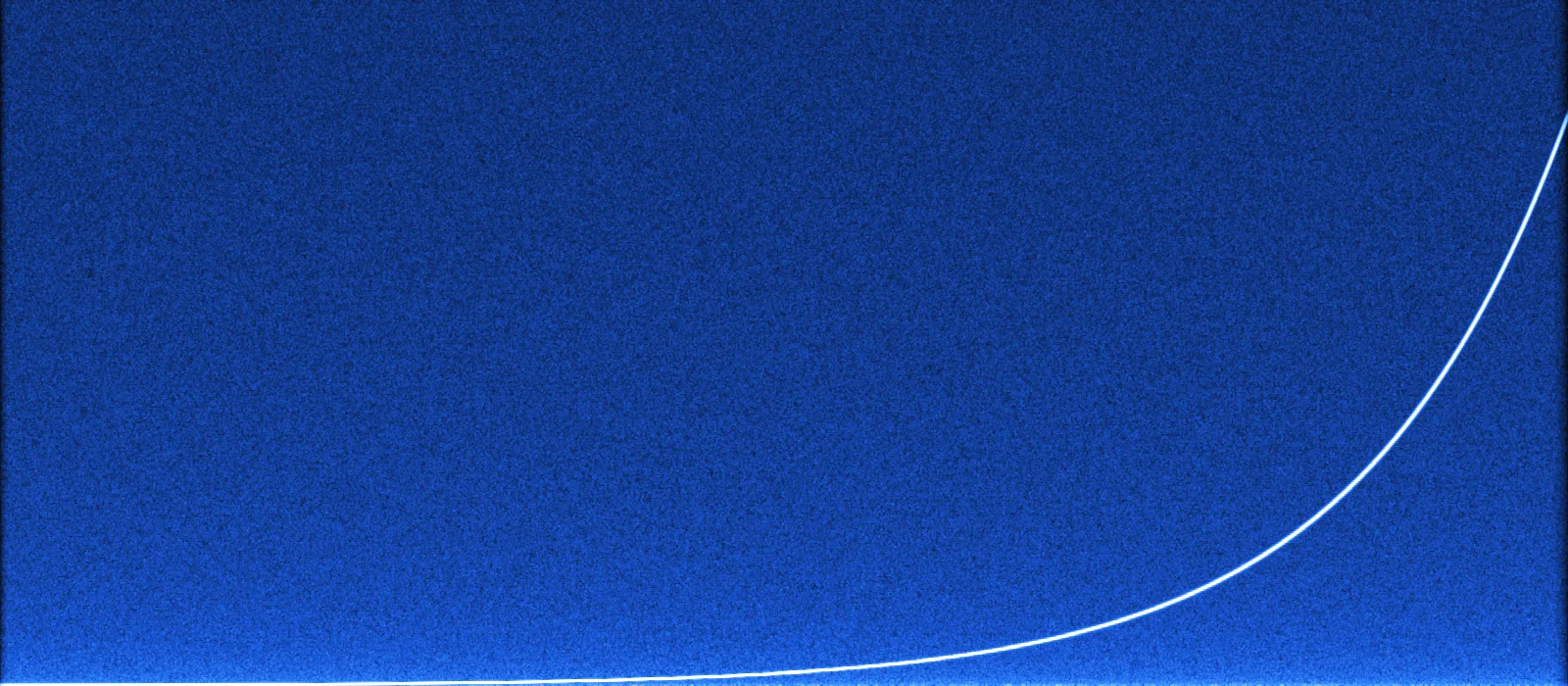
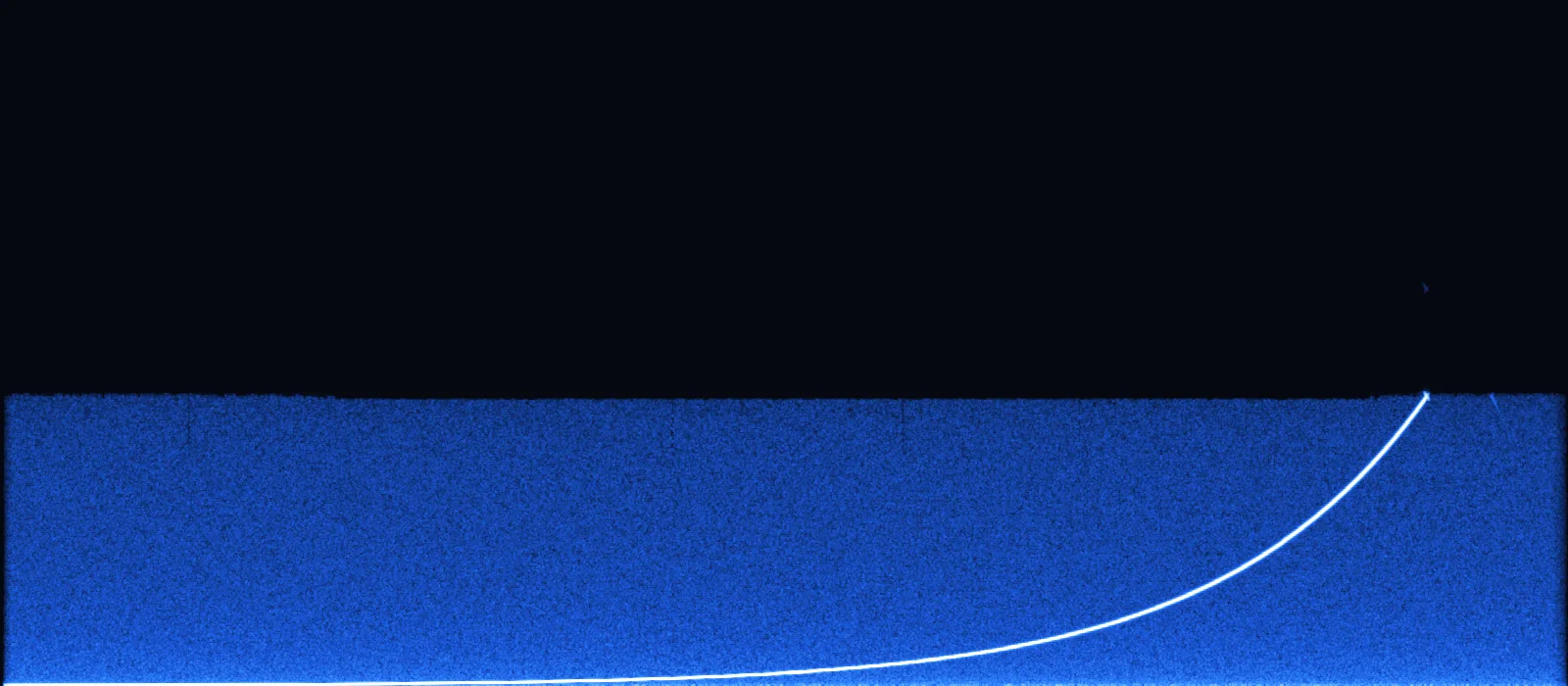
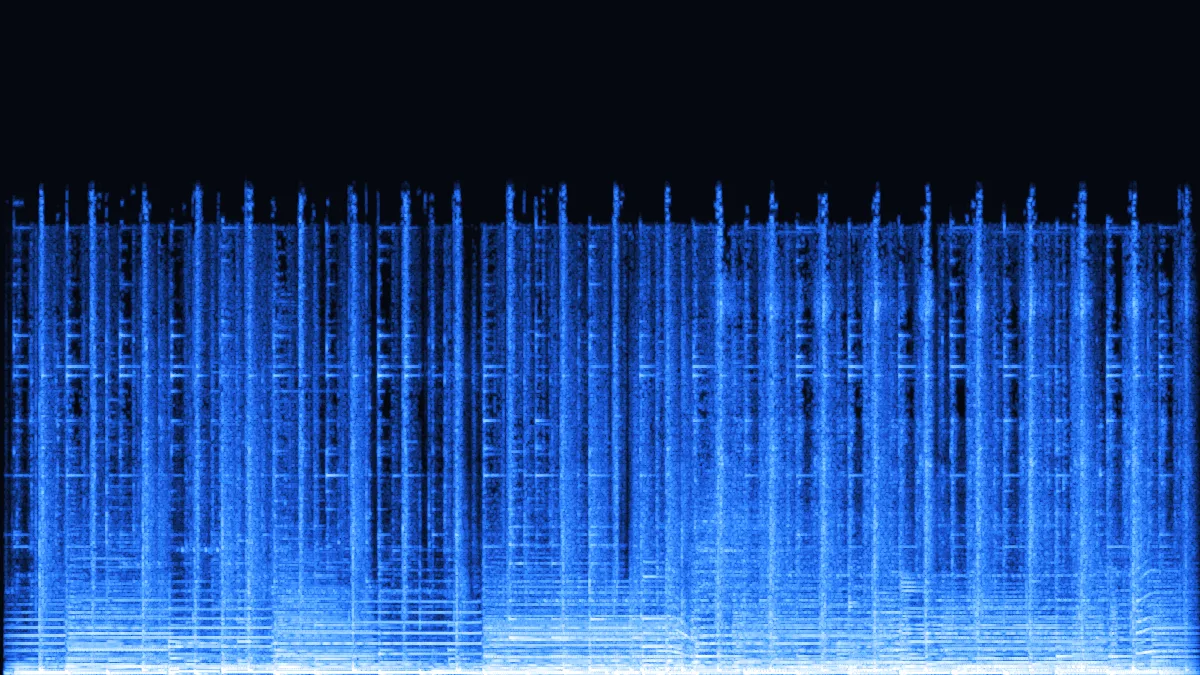
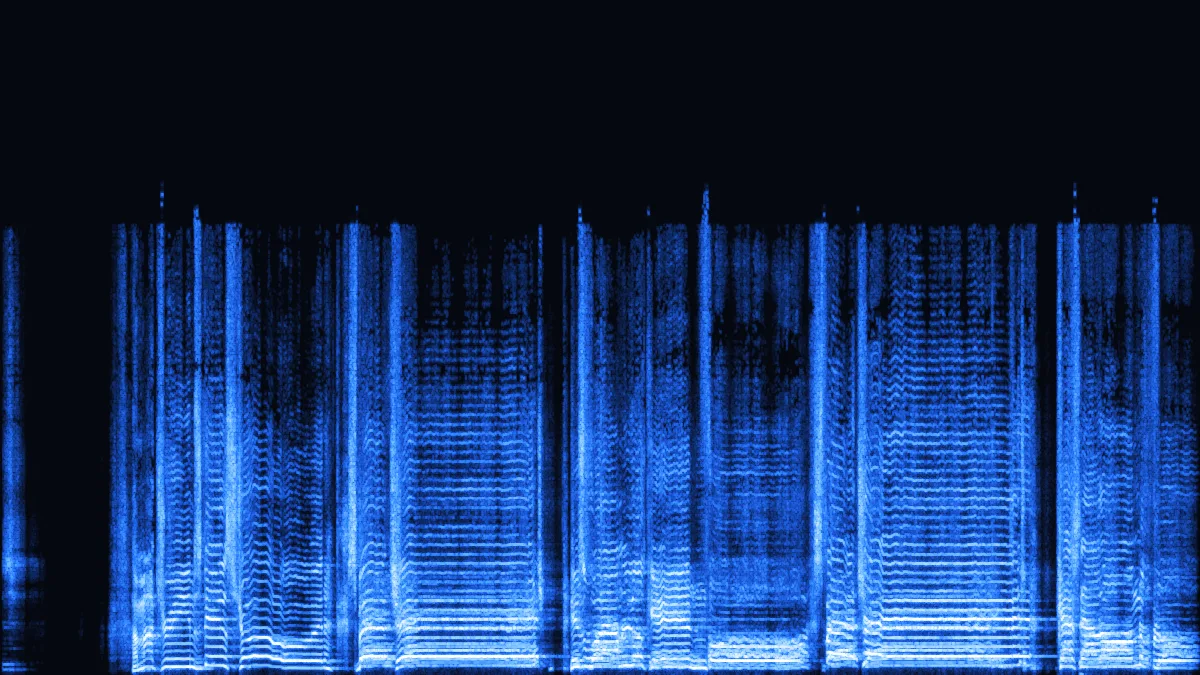
Left: a 24-bit / 96 kHz FLAC test signal — a sweep up to 40 kHz over pink noise, drawn from 0 to 48 kHz. Right: our 320 kbps MP3 of it. The MP3 is resampled to 48 kHz and low-passed at 20.4 kHz, so the top half of the picture is gone; below 20 kHz everything is still there.
FLAC 2.25 MBMP3 801 KBA 20-second, 16-bit / 44.1 kHz FLAC rip of 2.25 MB. At 320 kbps the MP3 is 801 KB — the copy to keep on a phone.
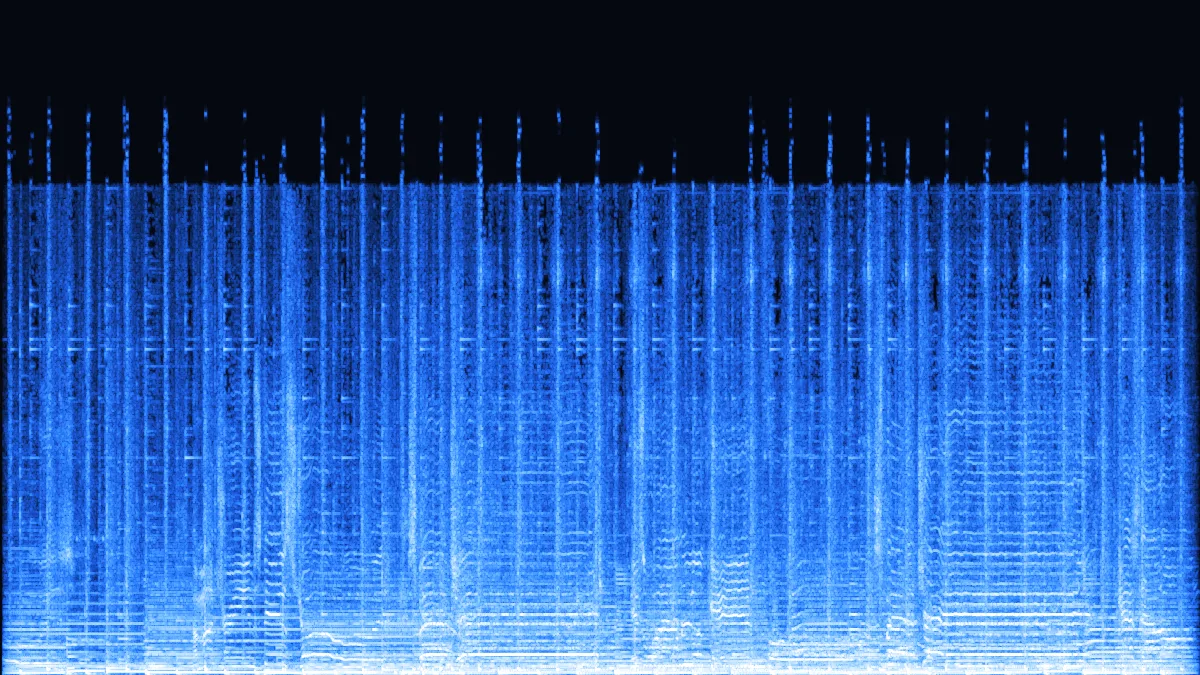 FLAC 2.25 MBMP3 481 KB
The same rip at 192 kbps: 481 KB. A 45-minute album at this rate takes about 65 MB instead of roughly 300 MB of FLAC.
 FLAC 3.75 MBMP3 601 KB
A 24-bit / 96 kHz file, 15 seconds, 3.75 MB. MP3 can't go above 48 kHz, so it's resampled on the way: 601 KB at 320 kbps, 6.2× smaller.
 FLAC 3.40 MBMP3 481 KB
A 24-bit / 48 kHz recording like those in live-show archives. The 48 kHz rate is kept, and 3.40 MB becomes 481 KB.
Album in, MP3s out
About half a second per 20 seconds of audio on a recent laptop, so a full album takes well under a minute.
Select the tracks — 3 files of up to 50 MB free, or a whole album of up to 100 files and 500 MB each with Pro — and drop them on the converter. Each file keeps its name and its place in the queue.
320 kbps (Pro) for the copy that lives on your phone; 192 kbps, free, to fit three times as many albums on a watch or a small USB stick.
Save each MP3, named like the FLAC files — or with Pro, take one zip of the lot. Tags aren't carried over, so let your music app or a tag editor fill them in.
Measured, not guessed
FLAC shrinks audio without losing any of it, so its size depends on the music. MP3 size depends only on the bitrate. Figures below come from our 20-second CD rip.
| Format | 20-second file | 45-min album | vs FLAC |
|---|---|---|---|
| FLAC 16-bit (source) | 2.25 MB | ≈ 304 MB | 1× |
| MP3 · 320 kbps | 801 KB | 108 MB | 2.8× smaller |
| MP3 · 256 kbps | 641 KB | 86 MB | 3.5× smaller |
| MP3 · 192 kbps | 481 KB | 65 MB | 4.7× smaller |
| MP3 · 128 kbps | 321 KB | 43 MB | 7.0× smaller |
45-minute albums; FLAC at our measured 902 kbps.
24-bit and hi-res FLAC
We ran a full-band test sweep through each bitrate to see exactly where MP3 stops — a measurement your own album can't show, because most music has little up there anyway.
| Bitrate | Keeps up to | Output rate | Good for |
|---|---|---|---|
| 128 kbps | 16.7 kHz | 48 kHz | Spoken word, background music |
| 192 kbps | 19.0 kHz | 48 kHz | Watches, small USB sticks, the gym |
| 256 kbps | 19.7 kHz | 48 kHz | Everyday headphone listening |
| 320 kbps | 20.4 kHz | 48 kHz | The copy you keep and listen to closely |
24-bit is about recording and mixing headroom. MP3 has no bit depth, so a 24-bit album gives the same MP3 a 16-bit version would.
88.2 and 176.4 kHz files come out at 44.1 kHz; 96 and 192 kHz at 48 kHz. 44.1 and 48 kHz FLAC keep their rate.
MP3 adds encoder delay: our files start about 25 ms late (1,105 samples at 44.1 kHz), and this encoder doesn't write the LAME gapless header. Live albums and DJ mixes that run track into track may get tiny gaps — keep FLAC for those, or convert the set as one file.
FLAC keeps its tags as Vorbis comments with the cover embedded. This converter writes audio only, so the MP3s come out untagged: retag them with a tag editor such as Mp3tag or MusicBrainz Picard, or let your music app match the album.
Why MP3 at all
Checked November 2026. FLAC support has grown, but a few big gaps remain.
Use cases
FLAC is the archive. MP3 is the copy that goes everywhere.
Rip once to FLAC as the master copy, then make MP3s for every device that needs them — and redo them any time from the FLAC.
Bandcamp lets you pick FLAC or MP3 at download. If you already grabbed the FLAC, convert a 192 kbps set here (320 with Pro) rather than downloading again.
A 24-bit / 96 kHz album can be three to four times the size of CD FLAC. MP3 copies for travel take a fraction of that.

Concert archives and tapers usually share shows as FLAC. Convert a set to MP3 for the commute — track names stay as they were.
Sport earbuds and watches handle MP3 without fuss, and 192 kbps is plenty with traffic and treadmills around you.
FAQ
What audiophiles and practical listeners both ask.
Converting a whole album?
With Pro, drop all the tracks at once and download one zip when they're done; free takes three at a time.
Convert FLAC to MP3Yes, it's the one lossy step: FLAC is lossless, MP3 isn't. At 320 kbps our test kept everything up to 20.4 kHz and the waveform changed by an amount 36 dB below the music; at 192 kbps the edge was 19 kHz. Keep the FLAC files as your archive.
This converter writes constant-bitrate MP3 from 128 to 320 kbps (256 and 320 with Pro) and has no V0 (VBR) option. 320 kbps CBR is the closest choice; it typically costs a little more space than a V0 file of the same album.
No — the MP3s contain audio only, named like the FLAC files. Retag them with a tag editor, or let your music app match the album online.
Yes. 24-bit files and sample rates up to 192 kHz decode; the MP3 comes out at 48 kHz (or 44.1 kHz for 88.2 and 176.4 kHz sources), because that is as high as MP3 goes. Long hi-res tracks may pass the free 50 MB file limit; Pro takes up to 500 MB.
With Pro, yes: up to 100 files of up to 500 MB each per batch, downloaded together as a single zip. Free converts 3 files of up to 50 MB at a time, which you save one by one — then clear the queue and add the next three.
You can, but nothing comes back: FLAC made from an MP3 is a lossless copy of the MP3, with the same missing detail. Keep your original FLAC files.
Batch convert on your own computer. Free, no signup, no watermark.
Free · no signup · no watermark · processed in your browser