
Classic 8D on the full mix
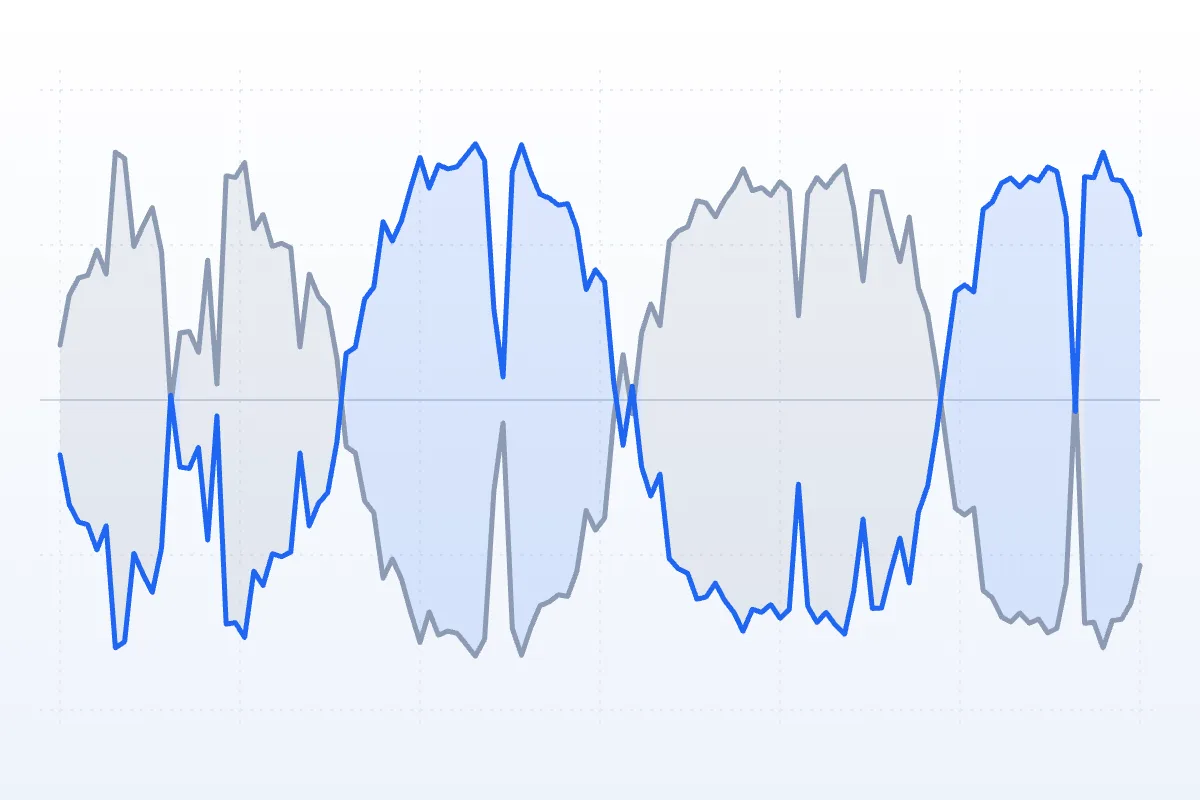
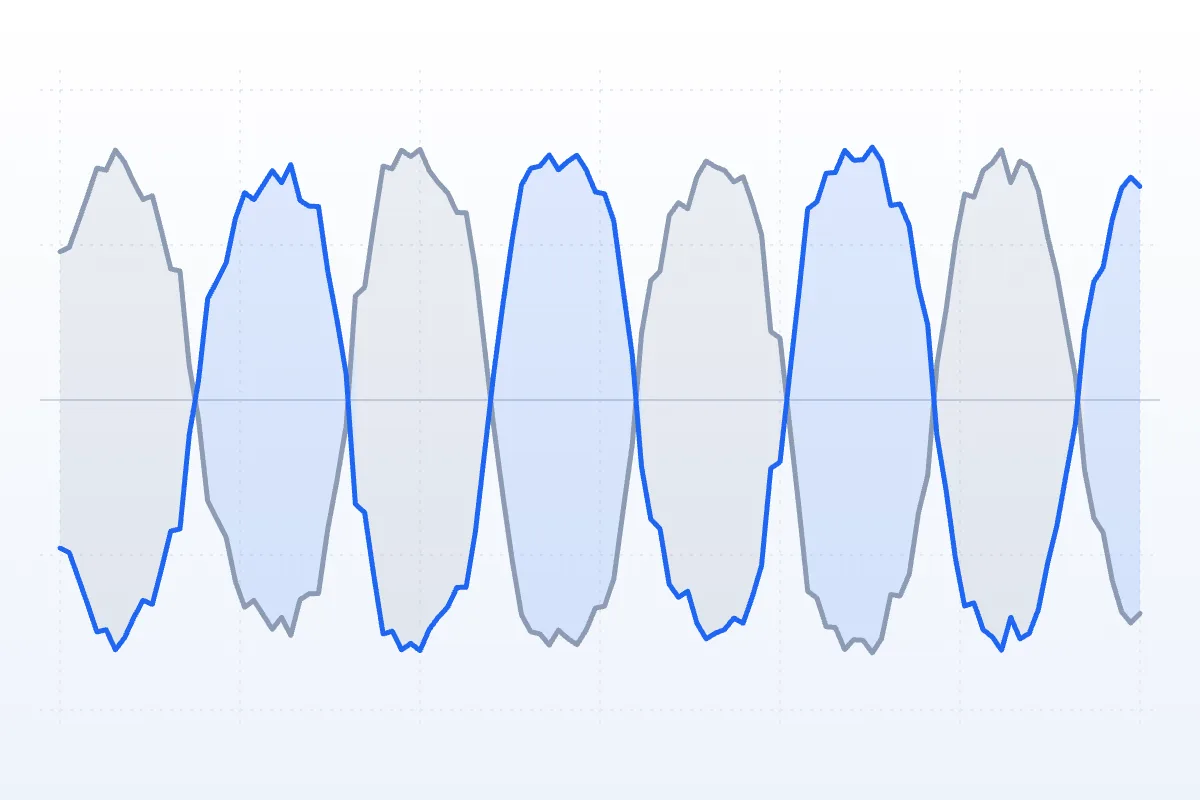
One turn every 8 seconds, full width, 30% room. In the original both ears get the same level; in the 8D render they swap every 4 seconds as the song passes from side to side.
- 8 s / turn
- Width 100%
- Room 30%
Free · headphones on
This 8D audio converter makes any song circle around your head. Drop in a track, set how fast and how wide it orbits, hear the 8D version live, then download it as MP3 or WAV.
Spare Change — full mix
0:30 · 8 s / turn · width 100% · room 30%
Free · no signup · rendered in your browser
Classic 8D: one full turn every 8 seconds with a little room — the sound most 8D songs use.
Examples
Four renders from this 8D audio converter on our demo song. Headphones on, press play, then flip Original ⇄ 8D at the same spot.


One turn every 8 seconds, full width, 30% room. In the original both ears get the same level; in the 8D render they swap every 4 seconds as the song passes from side to side.

A 16-second orbit with the bass held in the middle. A lone voice is the clearest way to hear a sound walk behind your head.

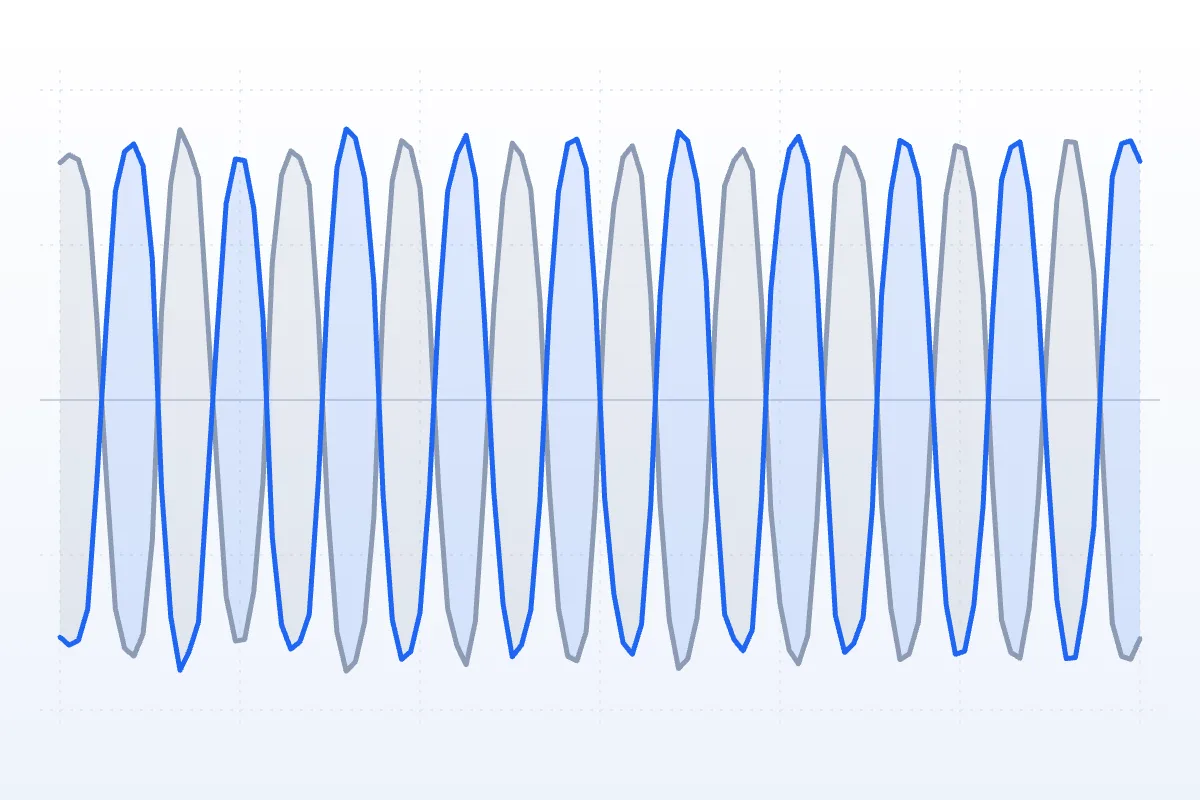
A turn every 3 seconds and very little room — ten full turns in 30 seconds.

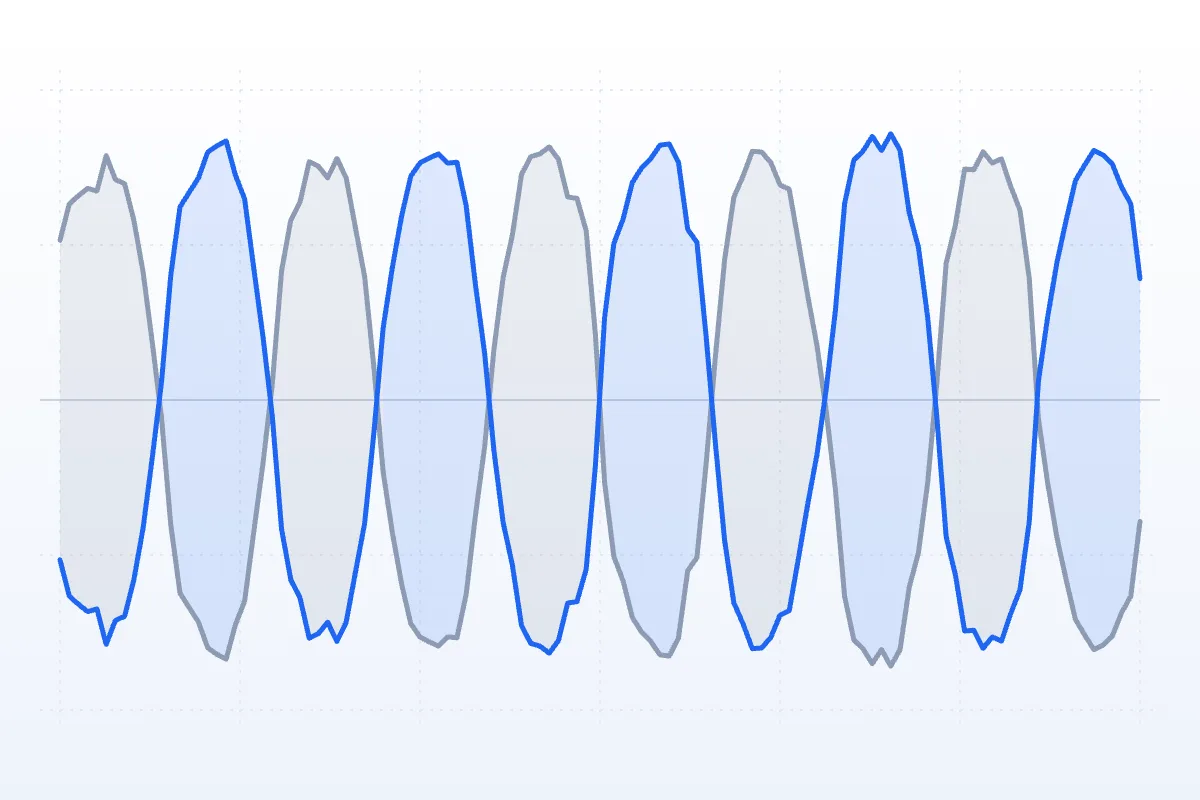
A 6-second orbit that also rises and falls once every two turns.
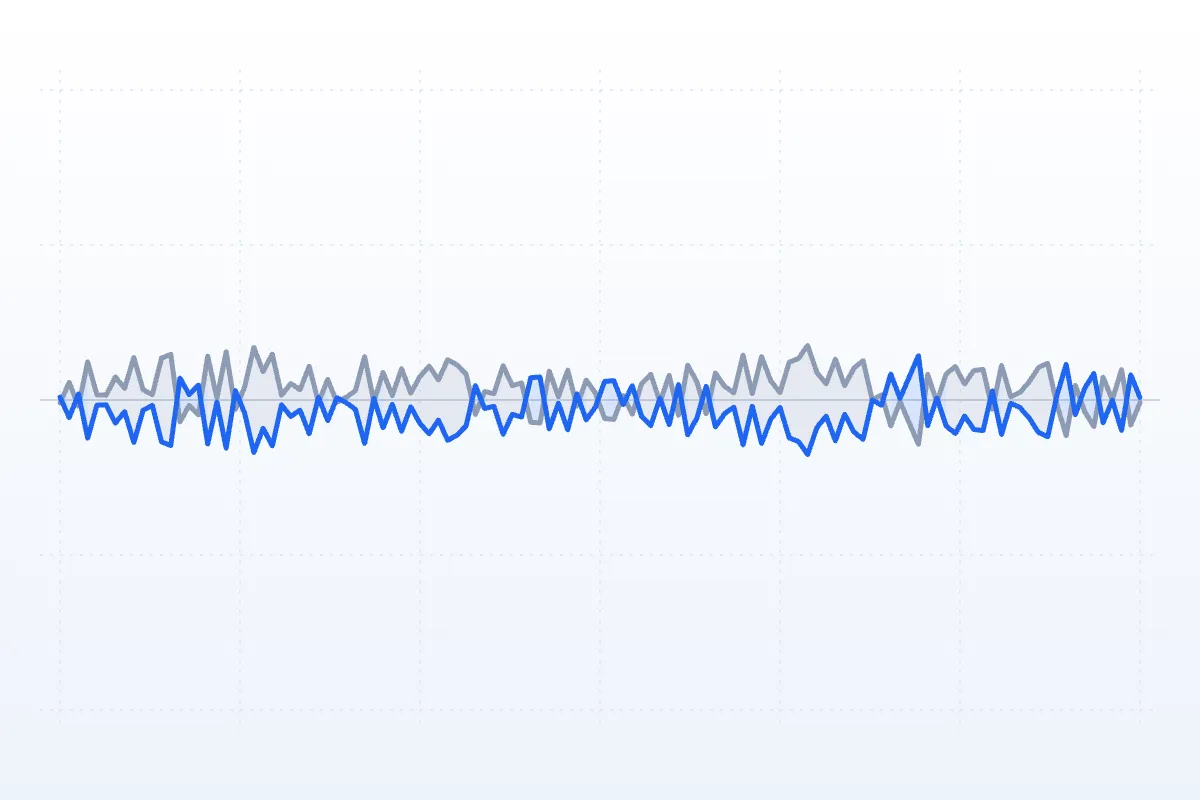
Each picture is the exported file measured every quarter second: blue = the left ear’s share of the sound, grey = the right ear’s. Where the lines cross, the sound is straight in front of you or behind you.
How to
No plugin or editing app needed — this 8D audio converter runs entirely on this page.
Drop in an MP3, WAV, M4A, OGG or FLAC up to 50 MB (500 MB with Pro), or start with a demo track. Put your headphones on.
Pick a preset, then adjust rotation speed, width, elevation and room while the song plays and the dot circles your head.
Flip Original ⇄ 8D to check it, then save a 192 kbps MP3 (320 with Pro) or a WAV with exactly the motion you heard.
Settings explained
Four sliders shape the orbit and three switches decide how it's rendered. Values that work for most songs:
How long one full circle takes, from 2 to 20 seconds. 6–10 s is the classic 8D feel, 12–20 s a slow drift, and under 4 s a dizzy spin.
How much of the song travels. At 100% the whole mix goes ear to ear; at 50% half stays in the middle, so the motion is softer and the vocal easier to follow.
Lets the sound rise and fall while it circles, once every two turns. The height cue is subtle on headphones and reads best on bright songs.
A reverb that stays around you while the dry sound moves. 20–35% puts the orbit in a space; 60% and up sounds like a hall.
Use cases
8D is a headphone experience. Each card plays a demo through the 8D audio converter with the settings shown.

Concert hall · verse0:30
Lights low, eyes closed: a 10-second orbit in a bigger room turns a song you know into something you hear from the inside.

Slow drift · instrumental0:30
Many people like a slow, steady orbit under a study session. Keep it gentle: Slow drift, bass centred, low volume.

Fast spin · instrumental0:30
The headset is already on. A fast spin suits short, energetic clips and soundtrack edits.

3D wobble · full mix0:30
3D wobble adds a soft rise and fall to the circle. Keep the volume low and stop if the motion makes you dizzy.

Classic 8D · full mix0:30
Make the 8D version of a track for a video: WAV for your editor, MP3 to share. Only use music you have the rights to.
How it works
8D isn't eight dimensions. It's one sound moved around you using the cues your brain already uses to place sounds in space.
When a sound comes from your right, it reaches your left ear changed in three ways:
An HRTF (head-related transfer function) is a set of measured filters that applies all three. This 8D audio converter moves the song around a circle through an HRTF, plus a little extra level swing so the motion reads clearly — that’s why 8D sounds outside your head on headphones.

With speakers, both ears hear both speakers, so the timing and level cues blend in the air and the circle collapses into a side-to-side pan. Speakers mode pans and darkens the rear of the circle instead.
“8D audio for ADHD” is a popular search, and some people say a slow, steady orbit helps them settle into a task. That’s a personal preference, not a treatment: there’s no solid research showing 8D audio improves ADHD symptoms, and this tool makes no health claims. If you try it, use Slow drift at a low volume and stop if it distracts you or makes you dizzy.
| Format | How it's made | Movement | Best on |
|---|---|---|---|
| Stereo pan | Level split between left and right | Left ↔ right only | Speakers and headphones |
| 8D audio (this tool) | One source orbiting the head with HRTF cues and room | A full circle, optionally up and down | Headphones |
| Binaural recording | Recorded with microphones inside a dummy head's ears | Whatever happened in the room | Headphones |
| Spatial audio | Sounds mixed as objects in 3D and rendered for your device | Stays put in the room, often with head tracking | Supported headphones and speakers |

Add weight first with the bass booster, or flip a vocal with reverse audio, then bring the result here and send it around your head.
Where 8D audio came from, how it differs from spatial audio and how to listen to it.
What is 8D audio?FAQ
Short answers about 8D audio, headphones and how this tool works.

Earbuds work too
Any headphones or earbuds that put one channel in each ear will do — Bluetooth included.
Make 8D audioIt makes an ordinary stereo song move around your head on headphones. This one sums the track to one source, sends it around a circle with HRTF binaural panning and adds some room, so you hear it travel from the front to your right, behind you and back.
For the real effect, yes: the cues that place a sound beside or behind you only work when each ear gets its own signal. On speakers, use the Speakers preset, which pans left and right and darkens the sound behind you.
“3D effect audio” and “8D” usually mean the same thing: one song panned around you. Spatial audio is mixed as separate objects and often follows your head as you turn. 8D is baked into an ordinary stereo file, so it plays anywhere.
Drop the song into the 8D audio maker above, choose a preset such as Classic 8D, adjust speed and width while it plays, then click Download MP3 or WAV. The export uses exactly the motion you heard.
Some listeners enjoy a slow orbit while they work, but there’s no strong evidence that 8D audio treats ADHD or improves concentration, and we don’t claim it does. If you like it, use Slow drift at a low volume; if it distracts you, switch it off.
Yes: no signup, no watermark. The song is processed in your browser and never uploaded. MP3, WAV, M4A, OGG and FLAC files up to 50 MB and 10 minutes work for free; Pro opens files up to 500 MB and 2 hours. Only convert music you have the right to use.
A free 8D audio converter: drop in a track, set the orbit, download it. No signup, nothing uploaded.
Free · no signup · no watermark · processed in your browser