 M4A 247 KBMP3 481 KB
Voice memo → MP3 128 kbps mono
A 30-second, 64 kbps mono AAC memo (247 KB). MP3 needs roughly twice AAC's bitrate to sound alike, so 128 kbps mono is the match — the MP3 weighs 481 KB.
- 128 kbps
- Mono
- 48 kHz
Voice memos · iTunes · Zoom audio
This M4A to MP3 converter changes iPhone voice memos, iTunes downloads, Zoom recordings and Android voice notes into MP3s that play on anything. The AAC audio inside each M4A is decoded and re-encoded in your browser, on your phone or computer — nothing is uploaded.
Converted on your device by your browser's own decoder and a background encoder — nothing is uploaded.
Real files, real results
Four M4A files made with Apple's AudioToolbox AAC encoder and ffmpeg — a voice memo, a 256 kbps song like an iTunes purchase, a phone recording and an HE-AAC podcast — then converted by this page.
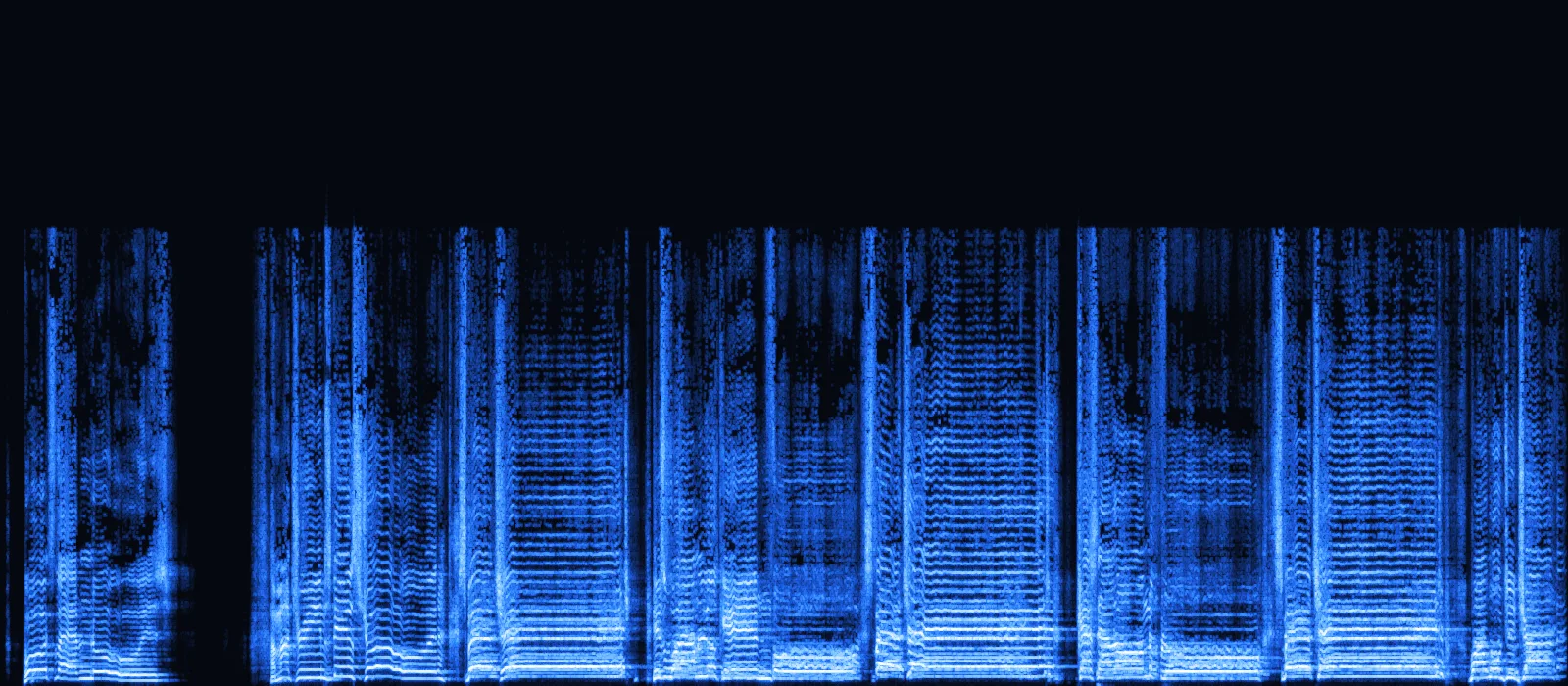
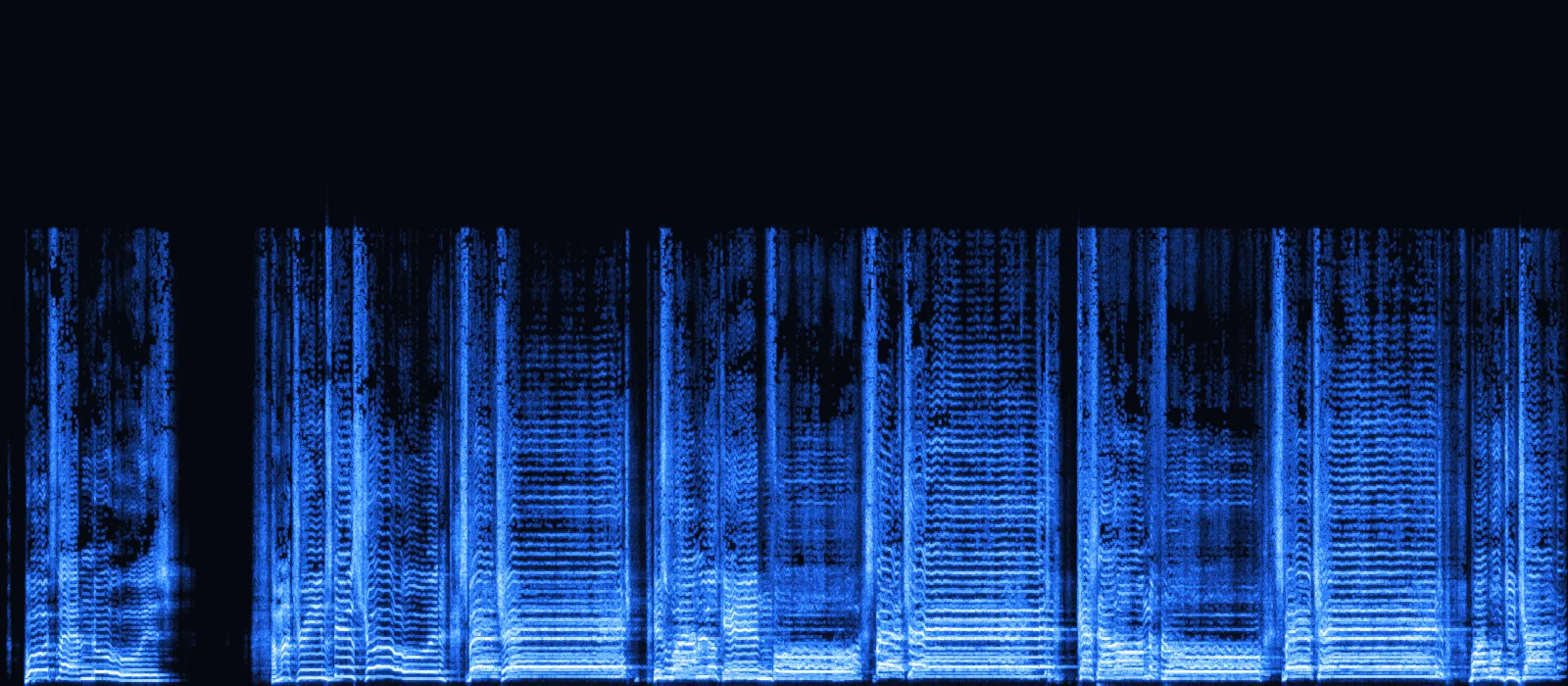
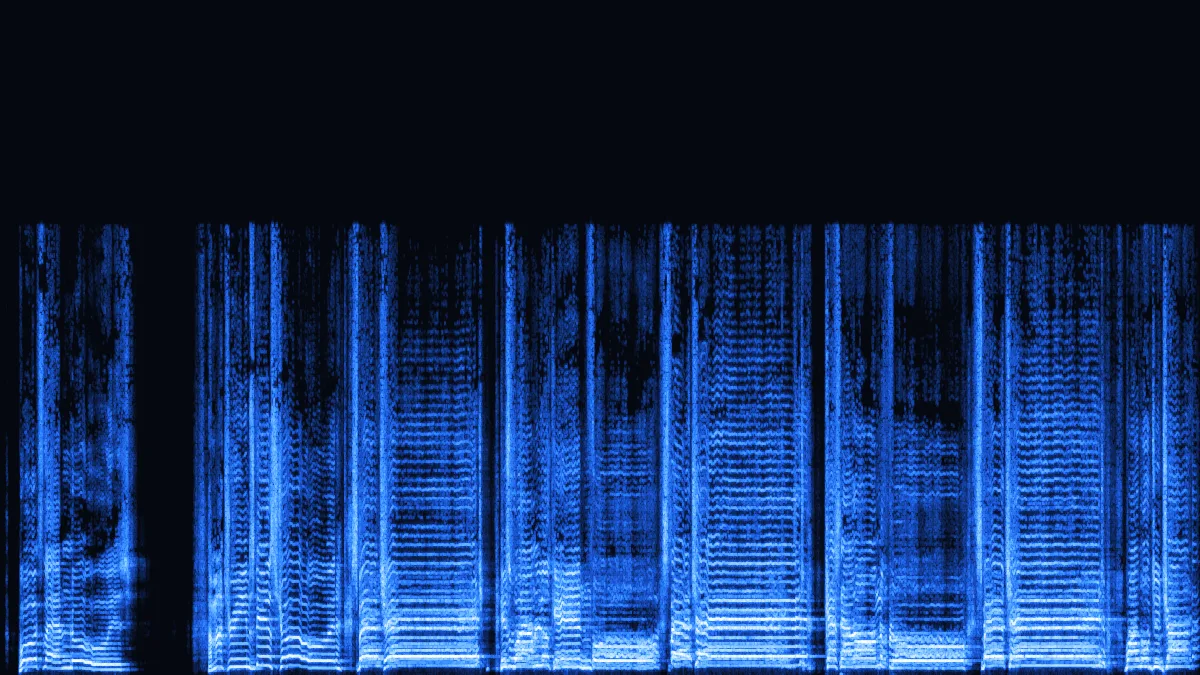
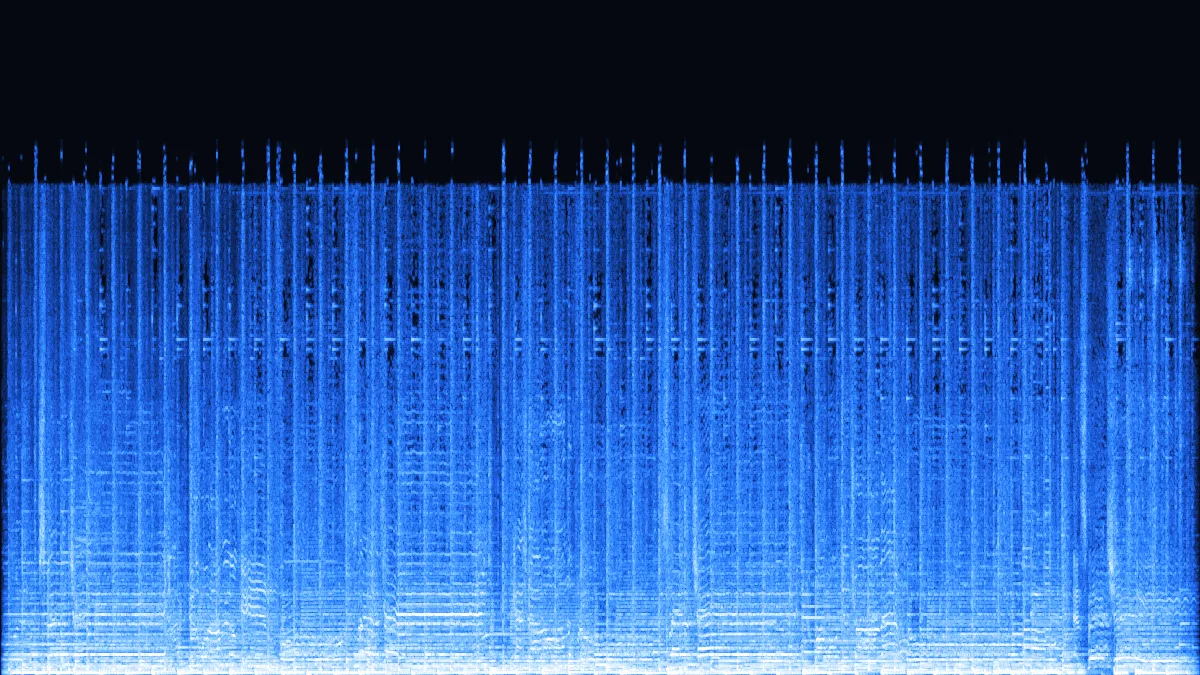
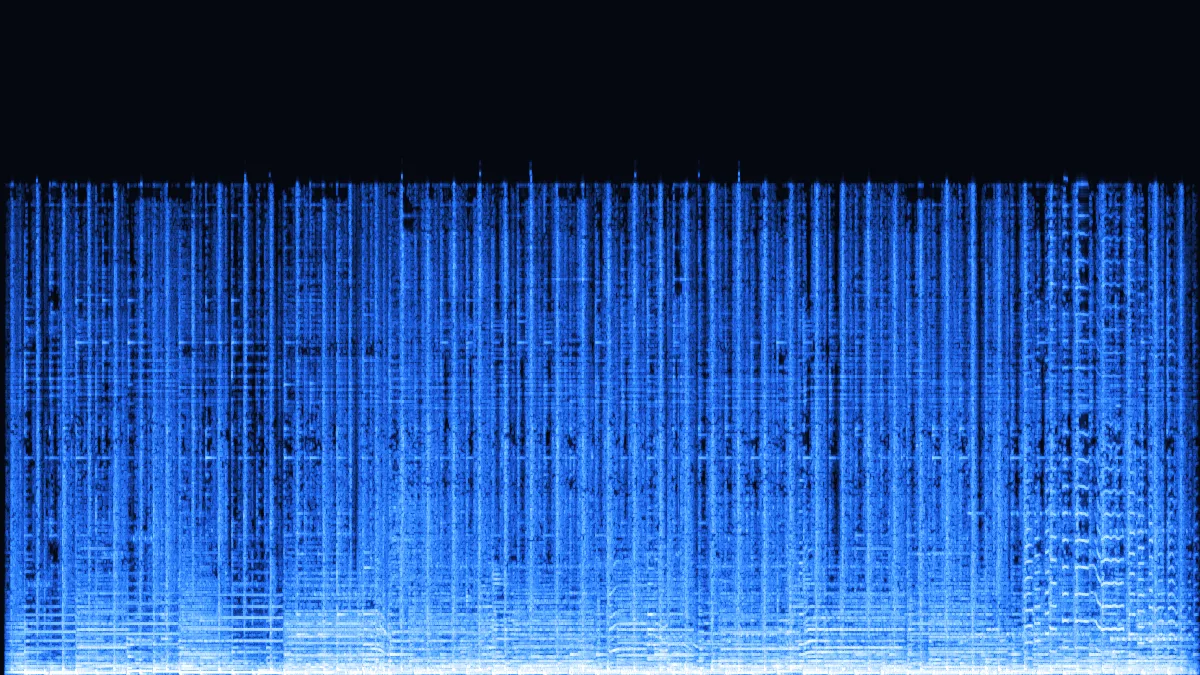
Left: a 64 kbps mono voice memo. Right: the same memo after converting to MP3 at 320 kbps. The AAC encoder removed everything above 16 kHz when the memo was recorded, and the 320 kbps MP3 is still empty up there — it is just five times larger.
M4A 247 KBMP3 481 KBA 30-second, 64 kbps mono AAC memo (247 KB). MP3 needs roughly twice AAC's bitrate to sound alike, so 128 kbps mono is the match — the MP3 weighs 481 KB.
 M4A 969 KBMP3 961 KB
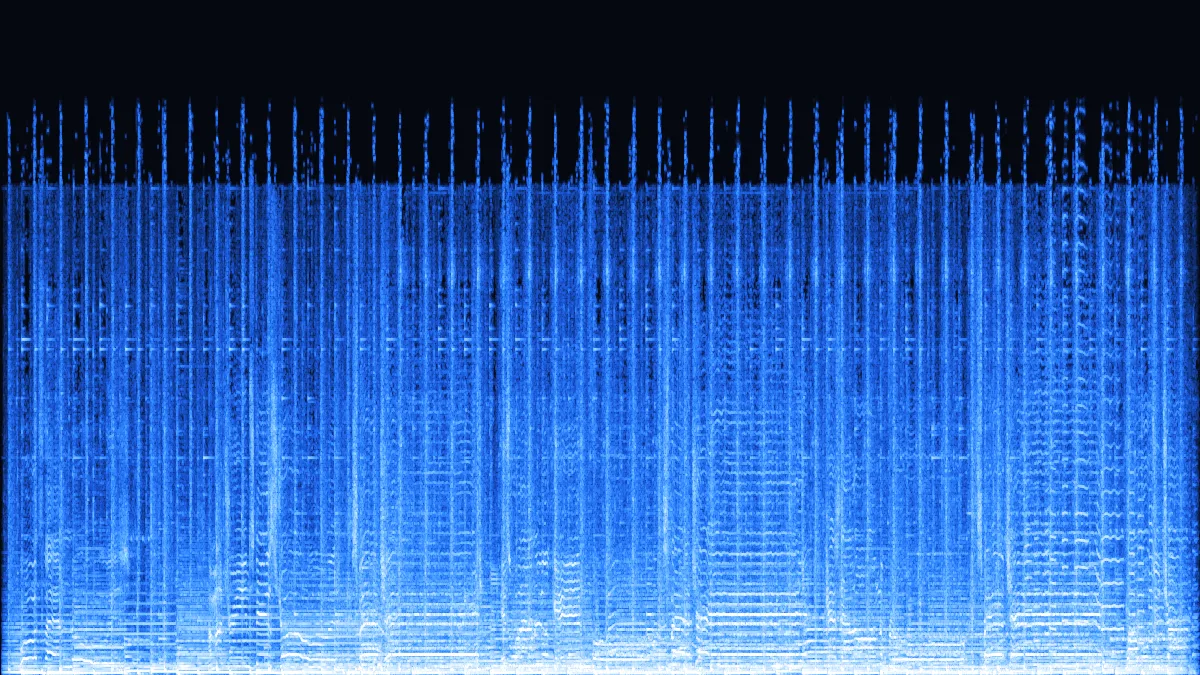
A 256 kbps AAC song, the format of iTunes Store purchases. Matching the bitrate keeps the size almost identical: 969 KB in, 961 KB out.
 M4A 488 KBMP3 721 KB
A 128 kbps stereo AAC file like many recorder apps save. 192 kbps leaves headroom for the second encode: 488 KB becomes 721 KB.
 M4A 184 KBMP3 482 KB
HE-AAC squeezes stereo into 48 kbps by rebuilding the treble from hints (SBR). MP3 has to store that treble for real, so the file grows from 184 KB to 482 KB.
Step by step
The same three steps on an iPhone, an Android phone or a computer.
On iPhone, open the memo in Voice Memos, tap ⋯ › Share › Save to Files, then pick it here. On a computer, drag the files in — Zoom keeps its audio-only M4As in Documents/Zoom.
Voice memos → 128 kbps mono. 128 kbps recordings → 192. 256 kbps music → 256 or 320 (Pro). Going far above double the source only makes a bigger file.
Each MP3 keeps its file name. On iPhone it lands in Files › Downloads; on a computer, in your downloads folder — or, with Pro, as one zip for a batch.
What's inside an M4A
An .m4a file is an MPEG-4 file with only audio in it. What decides whether it converts is the codec inside, and Apple, Google, Zoom and Microsoft don't all pick the same one.
| Codec | Typical source | Converts here? | MP3 setting |
|---|---|---|---|
| AAC-LC | Voice Memos (Compressed), iTunes Store songs, Zoom audio-only files, Windows Sound Recorder, many Android recorder apps | Yes | 64 → 128 mono · 128 → 192 · 256 → 256–320 |
| HE-AAC | Podcasts, internet radio, low-bitrate audiobooks | Yes | 128 kbps — MP3 must store the treble that SBR recreated |
| ALAC (Apple Lossless) | Voice Memos set to Lossless, Apple Lossless CD imports | Not in Chrome | Try Safari, which uses Apple's own decoders; 320 kbps |
| Protected AAC (DRM) | Apple Music subscription downloads, .m4p files from before 2009 | No | Locked by DRM — no browser tool can read it |
The honest part
AAC already discarded information when the M4A was made. Converting decodes it and encodes it again with a different lossy codec, so the MP3 can only be as good as the M4A — never better.
| MP3 bitrate | Size (vs M4A) | Change (null test) | Use it for |
|---|---|---|---|
| 128 kbps | 481 KB · 0.50× | −15.7 dB | Speech and voice notes only |
| 192 kbps | 721 KB · 0.74× | −24.7 dB | Casual listening, small players |
| 256 kbps | 961 KB · 0.99× | −31.9 dB | Our pick: same rate as the source |
| 320 kbps | 1.20 MB · 1.24× | −36.0 dB | Smallest change, 24 % larger file |
AAC is the more efficient codec: at the same bitrate it generally sounds better than MP3. So a 64 kbps memo needs a 128 kbps MP3 and a 48 kbps HE-AAC podcast needs 128 kbps too. The file grows; the sound doesn't improve.
Where M4A files come from
Checked November 2026. Menu names shift between versions, so treat these as pointers rather than gospel.
Why people convert
M4A plays fine on Apple devices. The trouble starts when it leaves them.
Some upload forms, transcription services and older players accept MP3 only. Convert the memo on the same phone that recorded it.

Recorded an interview on a phone? Give the editor or transcriber an MP3 that every tool opens.

Turn Zoom's audio-only M4A into an MP3 for meeting notes, transcription or a podcast feed.

Plenty of USB car stereos play MP3 but skip AAC files. A folder of MP3s plays in almost any of them.

Spoken-word M4A files stay small as 128 kbps mono MP3 and play on basic MP3 players, older e-readers and school laptops.
FAQ
Including the Apple-specific ones.
A folder of voice memos?
Select up to 3 at once (100 with Pro). They convert in order; with Pro they download as one zip.
Convert M4A to MP3A little, yes. An M4A usually holds AAC, which is already lossy, and MP3 encodes it a second time. On our 256 kbps test song the change was 32 dB below the music at 256 kbps and 36 dB at 320 kbps. Pick a bitrate at or above the source and keep the original file.
Songs downloaded through an Apple Music subscription are DRM-protected, so no browser can decode them. Songs bought from the iTunes Store are DRM-free AAC and convert normally.
Yes. In Voice Memos tap the memo, then ⋯ › Share › Save to Files. Open this page in Safari, tap the converter and choose the memo from Files. The MP3 is saved to Files › Downloads.
M4A is an MP4 file that carries only audio — usually AAC, sometimes Apple Lossless. AAC is the codec; M4A is the box it travels in. Video MP4 files convert too; the audio track is taken out.
Apple Lossless M4A did not decode in Chrome in our tests. Open this page in Safari on a Mac or iPhone, which uses Apple's own audio decoders, or switch Voice Memos back to Compressed for memos you plan to share.
Roughly double a low AAC bitrate and match a high one: a 64 kbps memo → 128 kbps mono, a 128 kbps recording → 192 kbps, 256 kbps music → 256 or 320 kbps with Pro (192 kbps is the free maximum).
Voice memos, songs and meeting audio — converted on your device in seconds.
Free · no signup · no watermark · processed in your browser