Updated 2026-11-15

Free · runs in your browser

Bass Booster

A free bass booster that runs in your browser. Drop in a song, lift the low end from a gentle +4 dB to a full +18 dB, flip between the original and the boosted mix while it plays, then download the result as MP3 or WAV.

  • No signup
  • No watermark
  • MP3 + WAV export
Bass Booster
Runs locally · 0 uploads
Instrumental

Instrumental

0:30 · bass +8 dB at 100 Hz · Sub-bass +2 dB

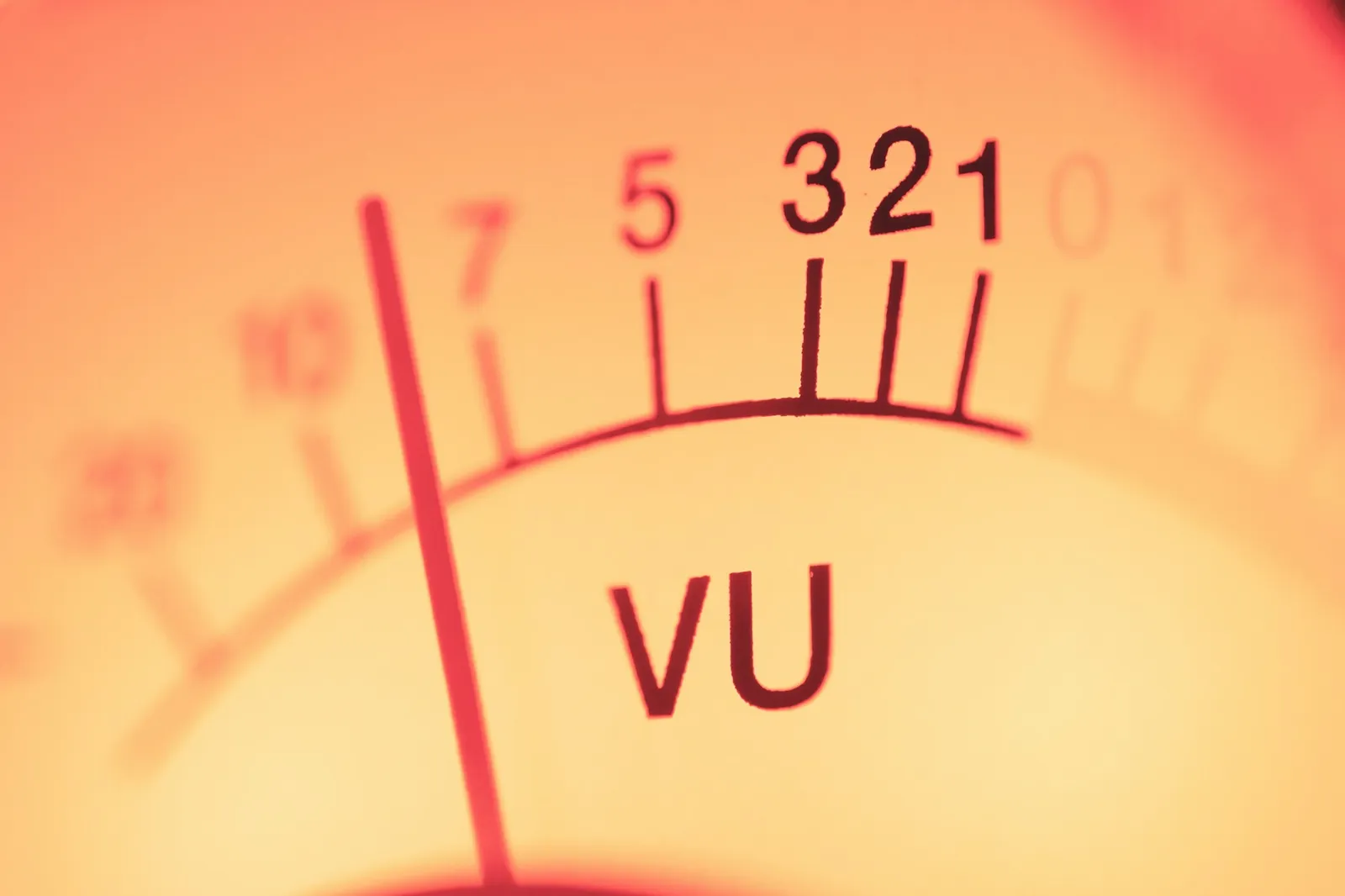
Output peak level in dBFS; the light turns red when the signal clipsOK
0:00 / 0:30
+8 dB
100 Hz
+2 dB
−4 dB

Free · no signup · processed in your browser · exports never clip

Bass boosted: +8 dB at 100 Hz plus a touch of sub. The classic bass boosted sound most people are after.

  • 0 uploadsProcessed on your device with the Web Audio API
  • +18 dBLow-shelf boost range, plus up to +12 dB of sub-bass
  • MP3 · WAV192 kbps MP3 or 16-bit WAV, turned down instead of clipped
  • 50 MBPer file, free (500 MB with Pro) · MP3, WAV, M4A, OGG or FLAC

Examples

Bass boosted examples, before and after

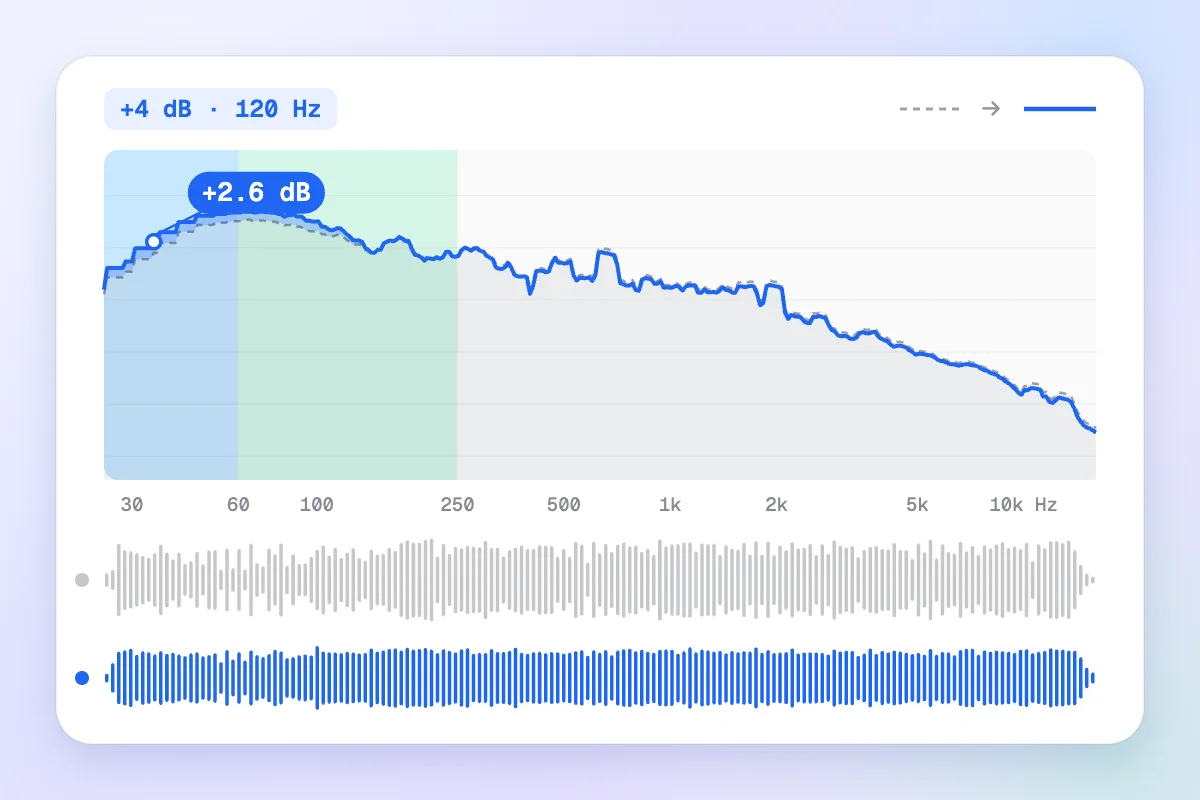
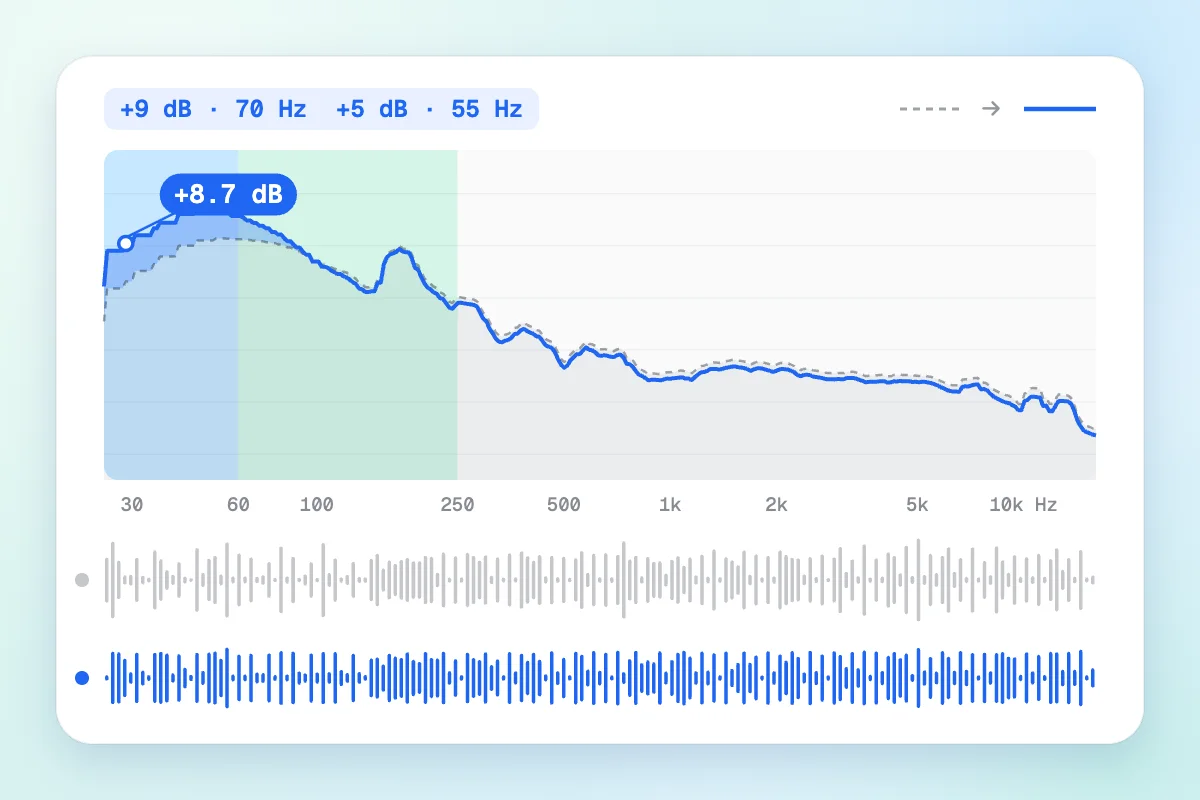
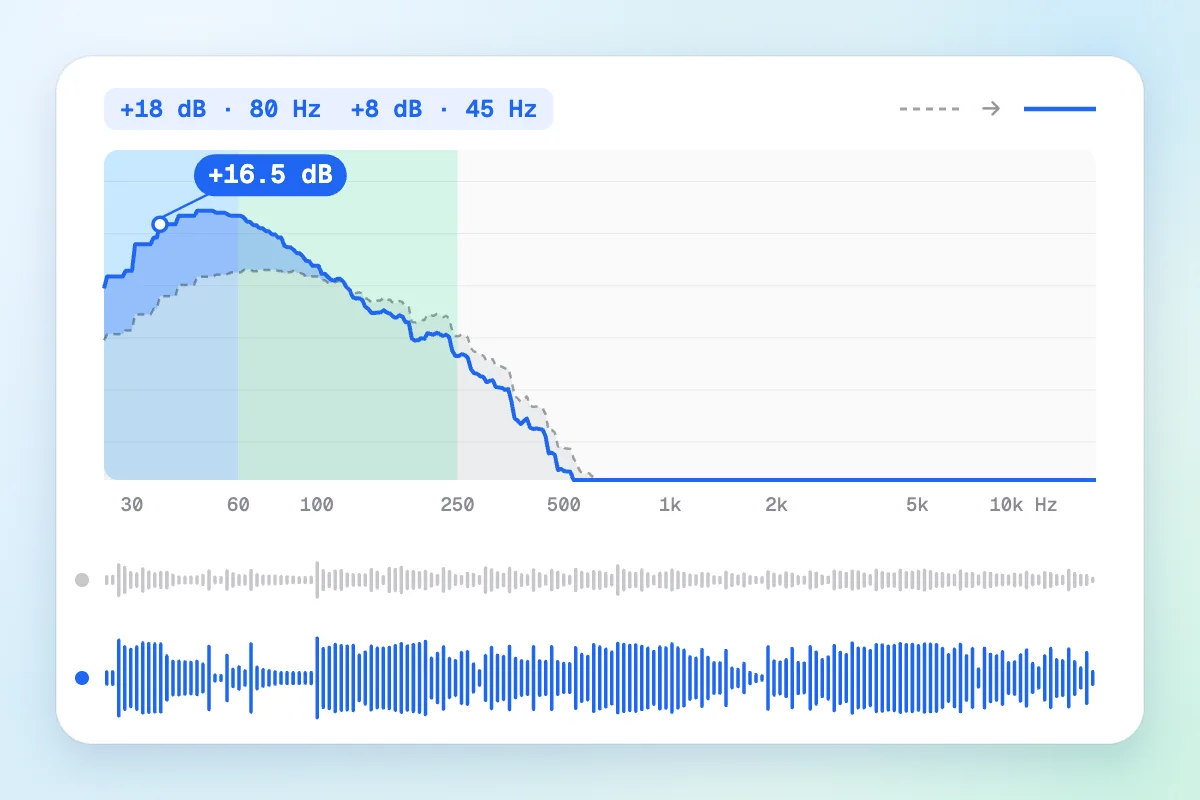
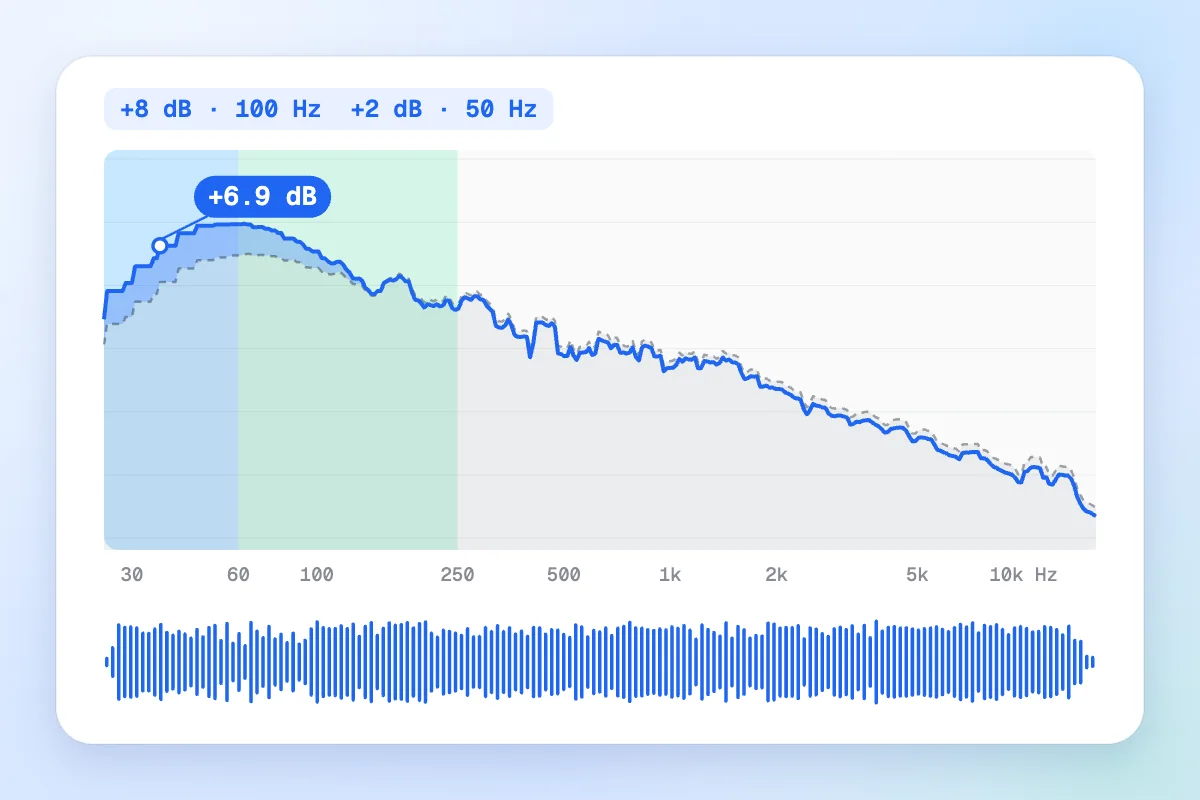
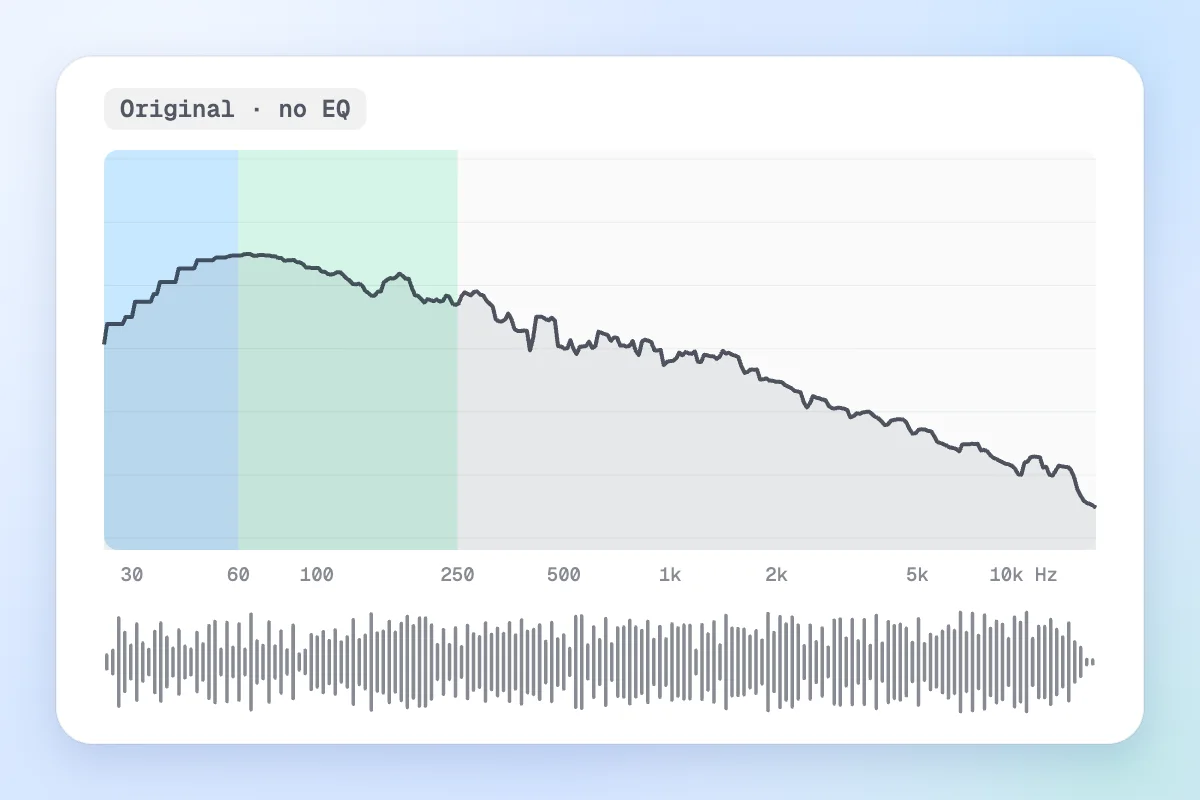
Four renders from this bass booster on our demo song. Press play, then flip Original ⇄ Boosted at the same spot. Each image is the clip's average spectrum before (grey, dashed) and after (blue), with the sub-bass and bass ranges shaded, plus both waveforms.

Bass booster result: spectrum and waveform of the instrumental after a +8 dB bass boost, with the low end lifted
The same instrumental before the bass boost: original spectrum and waveform
BoostedOriginal
Drag the handle to compare

Bass boosted instrumental

The default preset on the instrumental: +8 dB below 100 Hz and +2 dB at 50 Hz. On average the 30–60 Hz band rises about 6 dB and 60–120 Hz about 4 dB, while the guitars above 250 Hz barely move.

  • +8 dB @ 100 Hz
  • Sub-bass +2 dB @ 50 Hz
  • Output −4 dB
0:30
Spectrum of the full mix before and after a subtle +4 dB bass boost
0:30
  • +4 dB @ 120 Hz
  • Sub-bass 0
  • Output −2 dB

Subtle warmth on the full mix

+4 dB at 120 Hz and no sub, so the low end rises only about 2 dB on average. The chorus sounds fuller on laptops and headphones alike, and nothing pumps. Start here when a song just feels thin.

Kick drum stem before and after the 808 punch bass boost, spectrum and waveforms
0:30
  • +9 dB @ 70 Hz
  • Sub-bass +5 dB @ 55 Hz
  • Output −5 dB

808 punch on the drum stem

The drums alone with +9 dB at 70 Hz and +5 dB of sub at 55 Hz. The 30–60 Hz band gains about 6 dB, so every kick gets a rounder, longer thump, and the limiter keeps the hits from cracking.

Bass line before and after the Earthquake +18 dB bass boost, showing the heavy low-end lift
0:30
  • +18 dB @ 80 Hz
  • Sub-bass +8 dB @ 45 Hz
  • Output −9 dB

Earthquake on the bass line

The bass stem at +18 dB plus +8 dB of sub, our most extreme preset. The 30–60 Hz band comes out about 14 dB louder on average and the limiter works flat out, so you will hear grit. That's the meme sound; turn your volume down first.

How to

How to bass boost a song in three steps

No app and no account: this bass booster runs on your device with the Web Audio API, so even long files stay private.

  1. Add a song

    Drop in an MP3, WAV, M4A, OGG or FLAC (free up to 50 MB, 500 MB with Pro), or start with one of the demo tracks.

  2. Boost the bass

    Pick a preset, then fine-tune Bass boost, Frequency and Sub-bass while the song plays. Keep an eye on the clip light.

  3. Compare and download

    Flip Original ⇄ Boosted at the same spot, then save a 192 kbps MP3 or a WAV (320 kbps and 24-bit with Pro). Exports never clip.

Settings explained

Every control in our MP3 bass booster

The bass booster has four sliders and one switch. Here is what each one does to the low end, with values that work for most songs.

  • Bass boost

    Default: +8 dB

    How far the low shelf lifts everything under the corner frequency, from 0 to +18 dB. +3 to +6 dB is a gentle lift, +8 dB is the classic bass boosted sound, and past +12 dB most mixes start to distort.

  • Frequency

    Default: 100 Hz

    Where the boost fades out. The shelf reaches half its gain here and full gain about an octave below. Use 60–80 Hz for a deep, clean boost, 100–120 Hz for a fuller one, 150 Hz for phone speakers.

  • Sub-bass

    Default: +2 dB · 50 Hz

    An extra, narrower bump at 45–60 Hz, home of the 808 and the kick drum's rumble. Headphones and subwoofers play it; phone and laptop speakers mostly can't, so there it only costs headroom.

  • Punch & output

    Default: On · −4 dB

    Output turns the boosted signal up or down. Punch is a compressor-limiter after it that holds peaks near −2 dBFS, so heavy settings stay clean. Switch it off and the clip light shows when the waveform flattens.

Same-spot A/B

Original and boosted run on one clock, so switching never jumps. It's the quickest way to hear if you've gone too far.
  • A / B

Clip light

The meter reads the real output peak. Red means the waveform hit 0 dBFS: lower Output or switch Punch on.
  • 0 dBFS

Rumble filter

Everything under 20 Hz is removed before the boost. You can't hear it, but it eats headroom and moves woofers for nothing.
  • < 20 Hz

Peak-safe export

If a render would peak above −1 dBFS, the whole file is turned down instead of clipped. Loud bass, no crackle.
  • −1 dBFS

Made for

A bass booster online for cars, headphones and beats

One demo song, seven jobs. Each card runs a bass booster preset live, so you can hear what changes before you touch your own track.

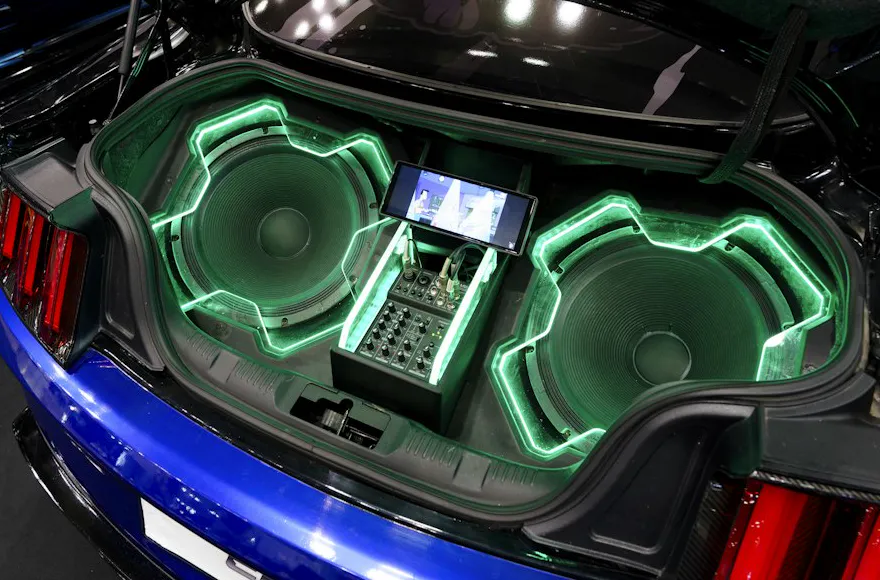
Car audio subwoofer, the kind of system a bass booster car preset is tuned for
  • +6 dB @ 70 Hz
  • sub at 45 Hz

Full mix · car audio0:30

Car audio

Deep sub at 45 Hz for a trunk subwoofer, without more boom on the vocals.

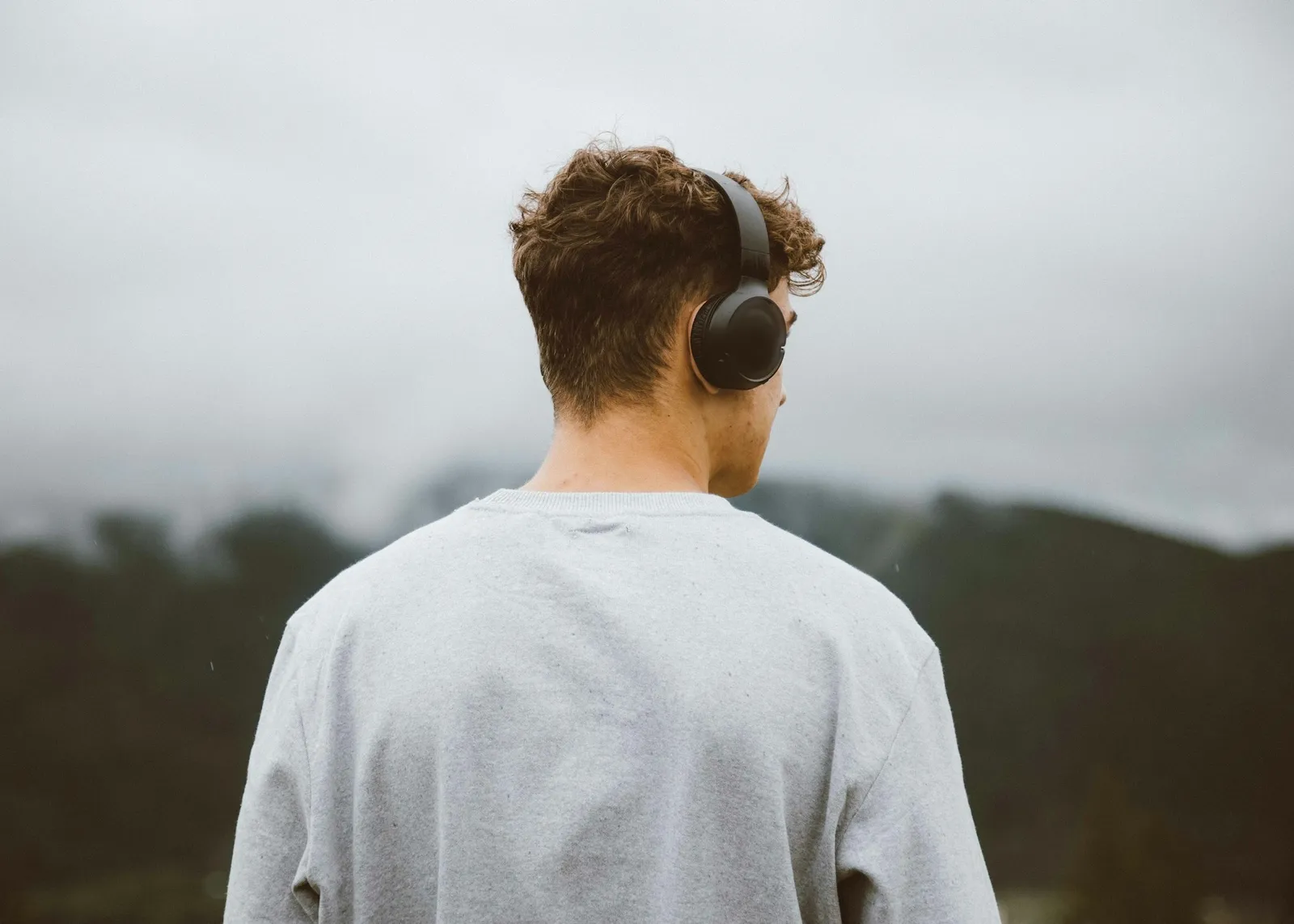
Listener in over-ear headphones looking out over misty hills, the setup the bass booster Headphones preset is tuned for
  • +5 dB @ 90 Hz
  • low and clean

Verse · headphones0:30

Headphones & earbuds

A moderate +5 dB lift. Earbuds already reach low, so less is more.

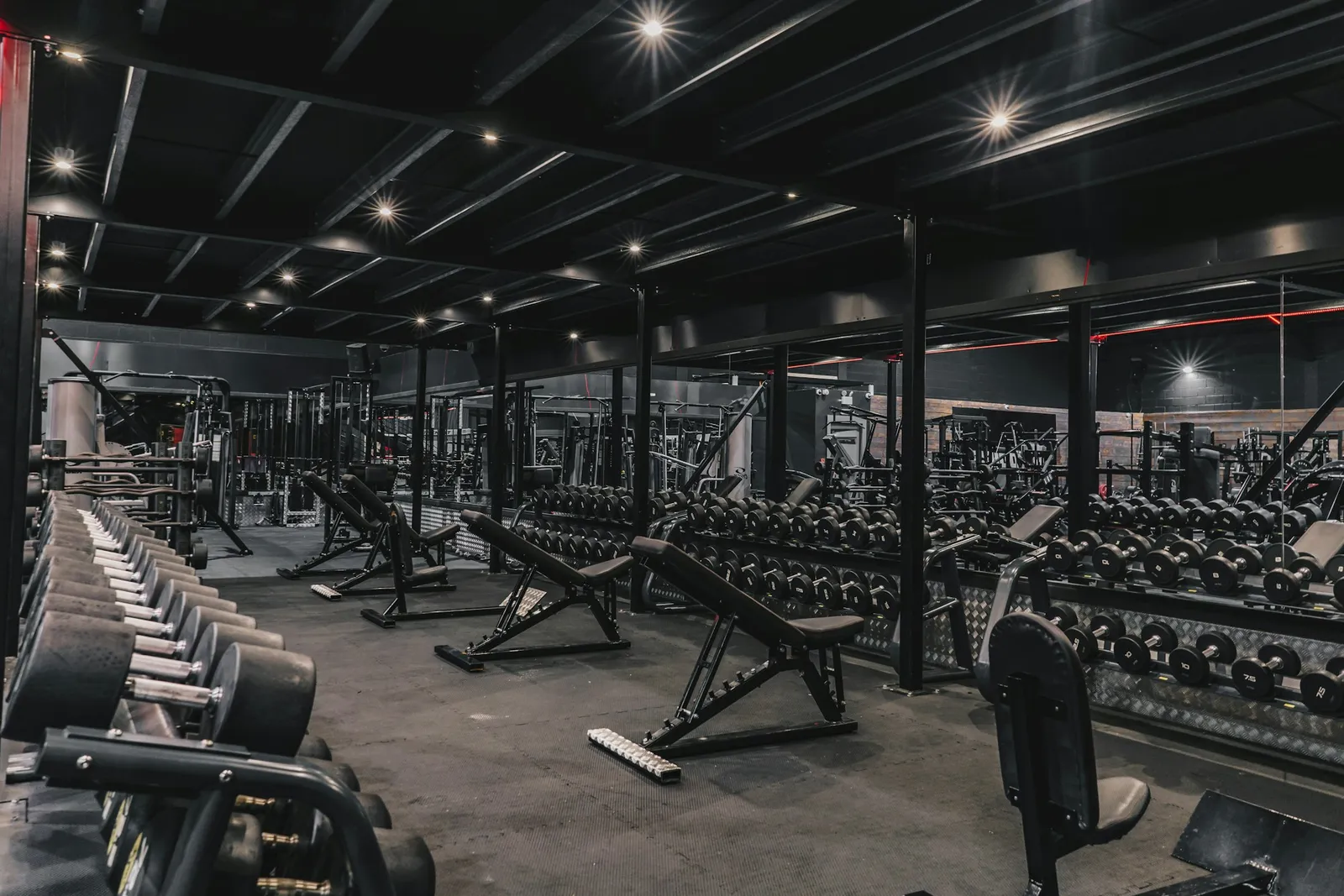
Empty gym with racks of dumbbells, where a heavy bass boost keeps a workout playlist driving
  • +12 dB @ 90 Hz
  • sub +4 dB

Full mix · heavy0:30

Gym & workout playlists

+12 dB at 90 Hz with a little sub: big enough to cut through a busy gym on a PA speaker.

Small portable speaker that cannot play deep sub-bass
  • +7 dB @ 150 Hz
  • no sub

Instrumental · phone speaker0:30

Phone & laptop speakers

Boost at 150 Hz, the lowest notes small speakers can actually play.

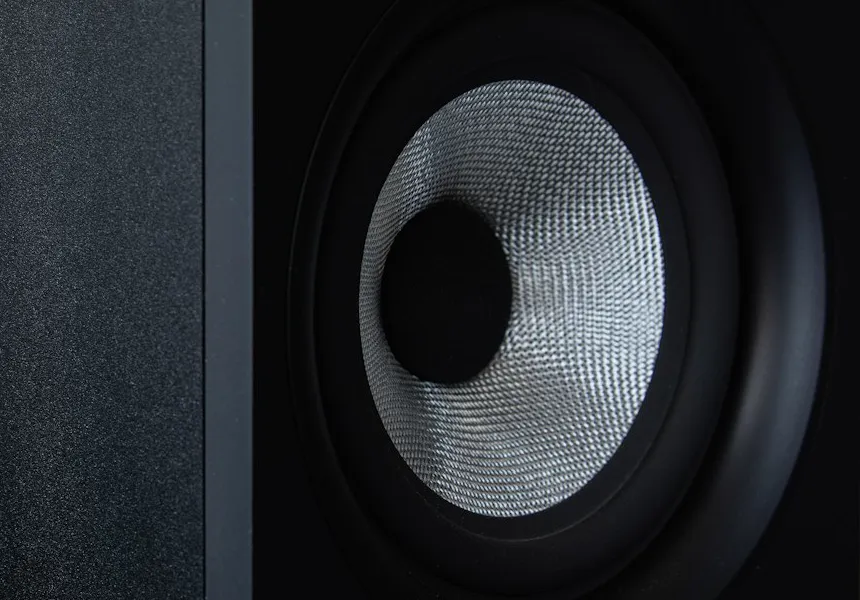
Close-up of a woofer cone, where an 808 bass boost is felt
  • +9 dB @ 70 Hz
  • sub +5 dB

Drums only · 808 punch0:30

Beats & 808s

Kick and 808 lifted around 55–70 Hz, with the limiter adding snap.

Small Bluetooth speaker next to sunglasses on a wooden deck
  • +8 dB @ 100 Hz
  • sub +2 dB

Verse · bass boosted0:30

Bluetooth & party speakers

+8 dB at 100 Hz: the range a small portable speaker can still push, plus a touch of sub.

Studio condenser microphone in a shock mount, for a voice recording that needs a little more low end
  • +4 dB @ 120 Hz
  • no sub

Vocals only · subtle0:30

Voice & mic recordings

Subtle +4 dB at 120 Hz adds chest to a thin voice. Much more and it turns to mud.

Bass 101

What does a bass booster actually do?

A bass booster is an equalizer that turns up only the lowest frequencies. Knowing where those frequencies live explains why a boost sounds huge in a car and does almost nothing on a phone.

Sub
Bass
Mids
Highs
20602501k4k20k Hz

What plays down there

  • 808s & sub drops30–60 Hz
  • Kick drum thump50–100 Hz
  • Bass guitar notes41–400 Hz
  • Voice fundamentals85–255 Hz

Roughly how low each speaker reaches

  • Phone speakerfrom ~300 Hz
  • Laptop speakersfrom ~150 Hz
  • Small Bluetooth speakerfrom ~70 Hz
  • Car with a subwooferfrom ~30 Hz
  • Headphones & earbudsfrom ~20 Hz

Typical figures; real devices vary. Anything left of a speaker's bar is boosted in the file but can't physically come out of that speaker. That's why the bass booster's Phone speaker preset boosts 150 Hz instead of sub-bass.

Bass driver and horn tweeter on a speaker wall, for checking a bass boost on real speakers

Check your boost on more than one speaker

  1. Earbuds or headphones. You hear the full sub-bass here, so too much boom shows up first.

  2. Phone or laptop. Listen for punch around 100–150 Hz; the deepest notes simply won't come through.

  3. Car or subwoofer. Make sure the vocals still sound clear on top of the low end.

Faders and EQ knobs on a mixing console, the hardware version of a bass booster's low shelf

A bass booster is a low-shelf EQ

Everything below the corner frequency is lifted by the same amount; above it, the curve eases back to 0 dB. Our Sub-bass control adds a second, narrower bump on top, and a 20 Hz filter removes rumble you can't hear before any of it.

  • Low shelf · 40–160 Hz
  • Sub bump · 45–60 Hz
  • Rumble cut · 20 Hz
Wall of woofers lit in blue, the bass boosted meme sound in one picture

Bass boosted memes vs. a tasteful mix

The “bass boosted” meme pushes +18 dB or more and lets it clip on purpose; the distortion is the joke. A tasteful boost is +3 to +6 dB that you only notice when you switch it off. Earthquake covers the first, Subtle the second.

Meme: +18 dB, clippingMix: +3 to +6 dB, clean

How many dB of bass boost is too much?

Every +6 dB doubles the signal's amplitude, and about +10 dB sounds roughly twice as loud. A finished master already peaks close to 0 dBFS, so the extra level has to come from somewhere: lower Output, a limiter, or clipping.

SubtleBass boostedHeavyEarthquake
Barely there
Warmer
Punchy
Boomy
Distorts
0 dB+3+6+10+14+18

Protect your speakers and ears

  1. 1Start at low volume and turn up slowly. A +12 dB boost arrives at full force on the very first beat.
  2. 2Rattling, flapping or a hard buzz means the woofer is at its limit. Lower the boost or the volume.
  3. 3Loud low end is tiring over time. Take breaks and keep the volume moderate, especially on headphones.

Combine tools

For a slowed, bass boosted edit, run the song through our slowed and reverb generator first and boost the download here. Or flip the boosted file around with Reverse Audio for a backwards drop.

Bass booster presets compared

LowMediumHigh
Bass booster presets compared
PresetLow shelfSub-bassOutputDistortion riskBest for
Subtle+4 dB @ 120 Hz—−2 dBLowThin mixes, acoustic songs, podcasts with music
Bass boosted+8 dB @ 100 Hz+2 dB @ 50 Hz−4 dBLowEveryday listening and playlists
Heavy+12 dB @ 90 Hz+4 dB @ 50 Hz−7 dBMediumHip-hop, EDM, gym speakers
Earthquake+18 dB @ 80 Hz+8 dB @ 45 Hz−9 dBHighMemes and jokes; distorts by design
Car audio+6 dB @ 70 Hz+6 dB @ 45 Hz−5 dBMediumTrunk subwoofers
Headphones+5 dB @ 90 Hz+3 dB @ 50 Hz−3 dBLowEarbuds and closed headphones
Phone speaker+7 dB @ 150 Hz—−4 dBLowPhone and laptop speakers
808 punch+9 dB @ 70 Hz+5 dB @ 55 Hz−5 dBMediumTrap, drill and drum stems

FAQ

Bass booster questions, answered

Short answers about boosting bass online, file formats and why some speakers can't play the low end.

Yes. There's no signup and no watermark. The free plan boosts songs up to 10 minutes with 10 downloads a day, and an optional Pro pass lifts those limits. The bass booster runs in your browser, so your file is processed on your device and never uploaded to a server.

In the bass booster, keep the total boost around +6 to +10 dB, leave Punch on, and lower Output by about half the boost (for +8 dB, try −4 dB). If the clip light turns red, back off. Exports are peak-safe: anything above −1 dBFS is turned down, never clipped.

For most songs, more than about +12 dB starts to muddy the vocals and distort. +3 to +6 dB is subtle, +8 dB is the classic bass boosted sound and +18 dB is meme territory. Use the Original ⇄ Boosted switch to check.

Small speakers can't physically play much below roughly 150–300 Hz, so a boost at 50 Hz barely changes what comes out. Use the Phone speaker preset, which boosts up to 150 Hz, or listen on headphones, a car stereo or a subwoofer.

Yes, this is a free MP3 bass booster. Open an MP3 (or WAV, M4A, OGG, FLAC) up to 50 MB and download the boosted version as a 192 kbps MP3 or a 16-bit WAV; Pro opens files up to 500 MB and adds 320 kbps MP3 and 24-bit WAV. The song keeps its length and tempo; only the low end changes.

Spotify's apps have their own equalizer in the playback settings; raise the lowest bands there for live listening. Spotify songs are protected streams, so they can't be downloaded and boosted here. Use this bass booster for audio files you own, like your recordings, beats or purchased MP3s.

A browser extension boosts whatever plays in your tab, live, and nothing is saved when you switch it off. This bass booster processes a file and gives you a new MP3 or WAV you can keep, share or play in the car. If all your audio suddenly sounds bass boosted, check for an extension or a system “bass boost” enhancement that's still on.

AirPods have no bass control of their own. On an iPhone, the Music app's EQ setting includes a Bass Booster option for songs played there. For a file you want to keep, boost it here with the Headphones preset (+5 dB and a little sub), download it and play it on your AirPods.

Yes, once it's recorded. Drop the file here and try Subtle or Headphones for more chest without mud; the Vocals only demo shows what happens when a voice gets too much. A live microphone needs an EQ in your recording app or audio interface, because this tool works on files.

Free bass booster

Give your next song more bass

Pick a preset, compare at the same spot and download in seconds. A free, private bass booster with no watermark.

  • No signup
  • No watermark
  • MP3 + WAV export

Free · no signup · no watermark · processed in your browser